Article-At-A-Glance: AI for HR Compliance in 2026
- AI for HR compliance refers to software tools that automate the monitoring, flagging, and management of employment law requirements, thus making it far easier for HR teams to stay audit-ready without manual effort.
- The biggest compliance risks HR teams face such as missed deadlines, biased hiring, wage violations, and data breaches, all have AI-powered solutions available right now, many requiring zero technical background to use.
- The EU AI Act and a growing wave of U.S. state-level laws are creating new compliance obligations specifically around AI use in HR. Meaning the tools you adopt need to be legally sound themselves.
- Tools like Workday Compliance Center, Rippling, and Eightfold AI are purpose-built for HR regulatory environments, not generic AI bolt-ons.
- Keep reading to find out the one critical setup step most HR teams skip that leaves them exposed even after adopting an AI compliance tool.
Employment law doesn’t wait for your team to catch up, and in 2026, the gap between HR teams using AI for compliance and those still working from spreadsheets is growing fast.
The good news is that you don’t need a computer science degree to take advantage of these tools. Modern AI compliance platforms are built for HR professionals, not developers. HR technology specialists are making it easier than ever for non-technical teams to get up to speed and start using AI to protect their organizations from costly regulatory missteps. This guide breaks down everything you need to know, from what these tools actually do, to which ones are worth your time, to how to roll them out without disrupting your team.
AI Is Changing HR Compliance Faster Than Most Teams Realize
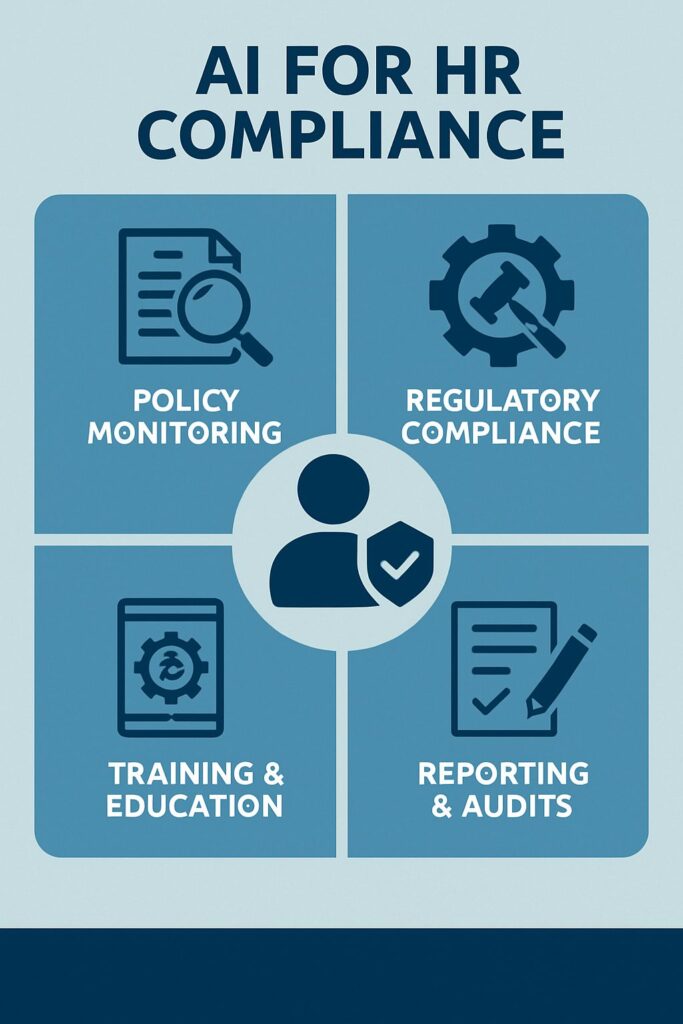
The volume of employment regulations has never been higher. Between federal requirements, state-specific mandates, pay transparency laws, and now AI governance rules layered on top, manually tracking compliance is not just inefficient, it’s genuinely risky. A single missed regulatory update can result in audits, fines, or litigation that costs far more than any software subscription.
From my experience, AI-powered compliance tools don’t just save time. They fundamentally change how compliance works. Shifting it from a reactive, checklist-based process to a continuous, automated function that runs in the background while your HR team focuses on people.
Why 2026 Is a Turning Point for HR Compliance
According to our studies, three forces are converging right now. The EU AI Act began full enforcement, U.S. states including Colorado, Illinois, and New York have passed or are enforcing AI employment laws, and the pace of remote work has made multi-jurisdictional compliance the norm rather than the exception. HR teams that haven’t updated their compliance processes in the last two years are likely already behind.
What AI for HR Compliance Actually Means in Plain English
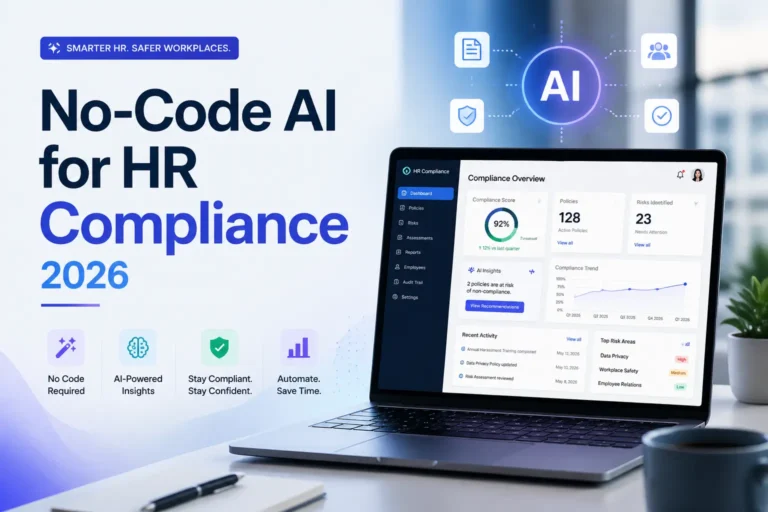
AI for HR compliance means using software that automatically monitors your HR processes, employee records, and policy documents against current legal requirements, and alerts you when something doesn’t match. Think of it as a compliance officer that works 24/7, never misses a regulatory update, and flags problems before they become violations. It covers everything from I-9 verification tracking and FMLA documentation to pay equity analysis and hiring bias detection.
You Don’t Need to Be a Tech Expert to Use These Tools
The best AI compliance platforms on the market today are designed with HR professionals as the primary user. Setup is typically guided, dashboards are built around HR workflows rather than technical interfaces, and most tools integrate directly with systems your team already uses like your ATS, HRIS, or payroll platform. If you can use a smartphone, you can use these tools.
The Biggest HR Compliance Risks AI Can Help You Avoid
Before choosing a tool, it helps to understand exactly where your exposure is. These are the five areas where AI delivers the most immediate, measurable compliance value.
1. Missed Regulatory Deadlines and Policy Updates
Employment law changes constantly. In 2024 alone, over 40 U.S. states introduced or amended wage, leave, or workplace safety legislation. Manually tracking those changes across multiple jurisdictions, especially for companies with remote or distributed teams, is a full-time job on its own.
AI compliance tools solve this by connecting to continuously updated regulatory databases. When a law changes in a jurisdiction where you have employees, the system flags it, shows you what needs to update in your policy documentation, and in some cases drafts the updated language for your review.
The practical result is that your HR team stops being the last to know about a regulatory change and starts being proactively informed before a deadline hits. Some of the specific deadlines these tools track include:
- Annual EEO-1 reporting deadlines
- State-specific paid leave accrual and policy posting requirements
- OSHA log submission windows
- ACA reporting deadlines for applicable large employers
- I-9 reverification expiration dates for employees with temporary work authorization
2. Inconsistent Employee Documentation
Inconsistent documentation is one of the most common reasons HR teams lose employment disputes. When one manager documents a performance issue thoroughly and another uses informal emails, you end up with a record that can’t hold up under legal scrutiny. AI tools apply consistent documentation standards across the organization by prompting managers through structured workflows and flagging incomplete records before they become a problem.
3. Biased Hiring and Performance Review Processes
Unconscious bias in hiring isn’t just an ethical issue. It’s a legal one. Title VII, the EEOC’s guidance on AI in hiring, and state-level laws like Illinois’ Artificial Intelligence Video Interview Act all create legal exposure for employers whose selection processes produce disparate impact outcomes.
Tools like Eightfold AI analyze hiring and performance data to surface potential bias patterns before they become systemic. They don’t make decisions for you. They show you where the data suggests a pattern worth reviewing, giving your team the information needed to course-correct early.
4. Wage and Hour Violations
Wage and hour claims consistently rank among the most expensive HR compliance failures, with class action settlements routinely reaching into the millions. AI tools that integrate with time-tracking and payroll systems can flag overtime miscalculations, missed meal break documentation, and misclassified workers in real time. Before a paycheck goes out with an error baked in.
5. Data Privacy Breaches in Employee Records
Employee data such as Social Security numbers, health information, background check results is among the most sensitive data any organization handles. AI compliance platforms with built-in data governance features monitor access logs, flag unauthorized data requests, and help ensure your data retention and deletion schedules comply with laws like GDPR, CCPA, and state biometric privacy statutes.
How AI Actually Works in an HR Compliance Context
Understanding the mechanics behind these tools helps you use them more effectively and evaluate them more critically when comparing options.
Automated Monitoring vs. Manual Compliance Checks
Manual compliance checks are point-in-time. You review a policy, check a box, and move on, until the next audit cycle. The problem is that regulations change between cycles, and your documentation can fall out of compliance without anyone noticing.
Automated monitoring is continuous. The AI maintains a live connection between your HR data, your policy documentation, and a current regulatory database. When anything changes such as a new law, an employee’s work location, or a job classification update, the system recalibrates and surfaces anything that no longer meets requirements. It’s the difference between taking your car in for an annual inspection and having a dashboard that tells you in real time when something needs attention.
How AI Reads and Flags Policy Violations in Real Time
Most enterprise-grade AI compliance tools use a combination of natural language processing (NLP) and rules-based logic. NLP allows the system to read your actual policy documents, not just metadata, and compare the language against current legal standards.
Rules-based logic handles the structured data side, checking things like whether overtime hours were compensated at the correct rate or whether a required training was completed within the legally mandated window. When either system detects a mismatch, it generates an alert routed to the appropriate HR team member, with enough context to take immediate action rather than investigate from scratch.
The Best AI Tools for HR Compliance in 2026
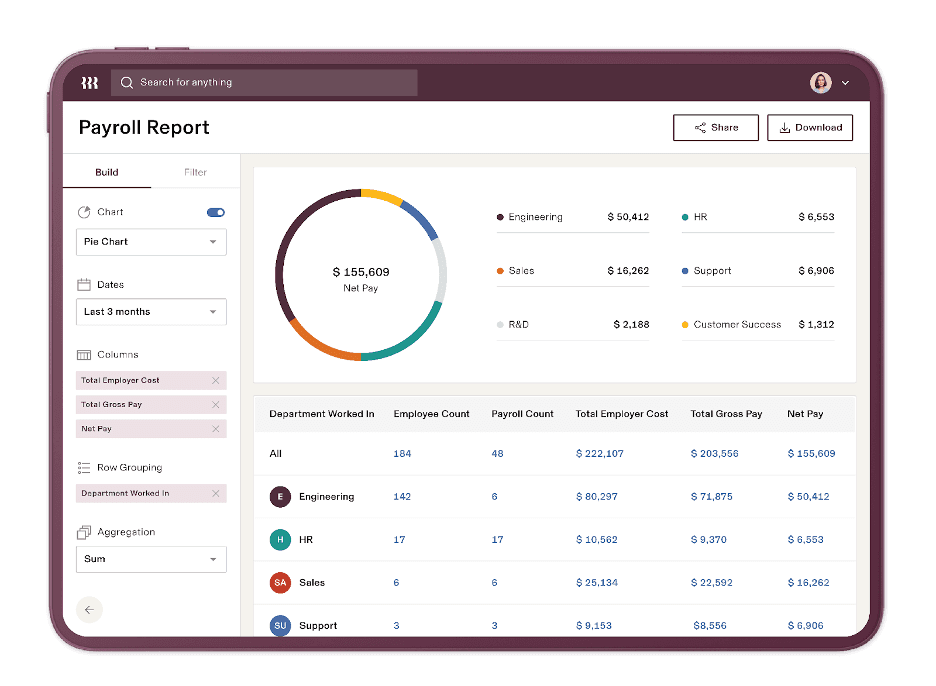
The market for HR compliance technology has matured significantly. You’re no longer choosing between clunky legacy software and expensive custom builds. There are purpose-built platforms designed specifically for compliance-focused HR teams at every company size and budget level.
The three tools below represent the strongest options available right now, based on their regulatory coverage depth, ease of use for non-technical HR professionals, and integration capabilities with existing HR systems.
Workday Compliance Center: Best for Large Enterprises
Workday Compliance Center is built for organizations managing complex, multi-jurisdictional compliance requirements at scale. It integrates directly with the broader Workday HCM suite, which means your compliance monitoring, payroll, benefits, and employee records all live in one connected system.
During our testing, key capabilities noted included automated SOX audit trail generation, real-time regulatory change alerts across 190+ countries, and built-in controls testing workflows that don’t require your IT team to configure from scratch.
Our Recommendation: For enterprise HR teams dealing with global operations, this is the most comprehensive option on the market.
Rippling: Best for Small to Mid-Size Teams
Rippling takes a different approach where it combines HR, IT, and payroll into one platform, and its compliance features are woven throughout rather than siloed into a separate module. For smaller teams, this is a significant advantage. You get automated new-hire compliance checklists, state-specific onboarding document management, and real-time payroll compliance monitoring without needing to purchase and integrate multiple separate tools.
Our real-time testing showed that Rippling’s compliance automation is particularly strong for teams with remote employees spread across multiple states. The system automatically identifies which state-specific forms, tax registrations, and leave policy disclosures apply to each employee based on their work location, and flags anything missing before it becomes a violation.
Pro Tip: Pricing starts at $8 per employee per month, making it genuinely accessible for teams under 200 people.
Eightfold AI: Best for Hiring Compliance and Bias Reduction
In my opinion, Eightfold AI is the most specialized of the three tools, with its strongest capabilities concentrated in talent acquisition and performance management compliance. Its Talent Intelligence Platform uses deep learning to analyze hiring patterns across your organization and surface disparate impact risks before they accumulate into a systemic problem. For companies subject to OFCCP audits or operating under consent decrees, this level of proactive bias monitoring is not optional, it’s essential.
While we were testing, we also noted that beyond hiring, Eightfold also assists with internal mobility compliance, helping ensure that promotion and development opportunities are being offered equitably across protected class groups.
Our Recommendation: The platform integrates with most major ATS systems including Workday Recruiting, Greenhouse, and iCIMS, meaning you don’t need to overhaul your existing hiring stack to take advantage of its compliance features.
How to Choose the Right Tool for Your Team Size and Budget
| Tool | Best For | Starting Price | Top Compliance Feature |
|---|---|---|---|
| Workday Compliance Center | Large enterprises (500+ employees) | Custom pricing | Multi-jurisdictional regulatory monitoring |
| Rippling | Small to mid-size teams (10–200 employees) | From $8/employee/month | Multi-state remote employee compliance automation |
| Eightfold AI | Hiring-focused compliance and bias reduction | Custom pricing | Disparate impact analysis and OFCCP audit readiness |
How to Implement AI Compliance Tools Without a Tech Background
From what I’ve observed, implementation is where most AI compliance rollouts stall. Not because the technology is too complex, but because teams skip the preparation steps and go straight to deployment. Taking two to three weeks to set the groundwork correctly will save you months of cleanup later.
The most important thing to understand going in is that AI compliance tools are only as effective as the data you feed them. If your existing employee records have gaps, your job classifications are inconsistent, or your policy documents haven’t been reviewed in three years, the AI will surface all of that immediately. That’s actually a good thing, but it’s easier to address those issues before you go live than after.
After many years of experience implementing these tools, here is the five-step implementation process that I have seen works consistently well for non-technical HR teams, regardless of which platform you choose.
1. Audit Your Current Compliance Gaps First
Before you log into any new platform, spend one week doing a manual review of your highest-risk compliance areas. Pull your most recent I-9 audit, review your overtime records for the past 90 days, and check whether your employee handbook has been updated to reflect any laws passed in the last 12 months.
Document what you find. This baseline audit will tell you exactly which features to prioritize when you configure your new tool — and give you a clear before-and-after benchmark to measure the impact of implementation.
2. Match Your Biggest Risk Areas to the Right Tool
Not every compliance platform covers every risk area equally well. For example, if your most pressing issue is multi-state payroll compliance, Rippling’s automated state tax and leave tracking is your fastest path to risk reduction. If hiring bias is your primary concern following an EEOC inquiry or internal audit finding, Eightfold AI addresses that more directly than any other option. Be deliberate about matching the tool’s strongest capabilities to your actual exposure, rather than choosing based on brand recognition alone.
3. Run a Pilot With One HR Process Before Full Rollout
Pick one HR process (I usually recommend onboarding documentation as the best starting point), and run it entirely through the new platform for 30 days before expanding.
This approach lets your team build confidence with the tool in a controlled environment, surfaces any integration issues with your existing systems before they affect a broader population. It also gives you a clean data set to evaluate whether the tool is delivering the compliance accuracy you need.
4. Train Your HR Team on the Basics in Under a Week
Most modern AI compliance platforms offer role-based training modules that take between two and four hours to complete per user. Prioritize training on three core functions: how to read and respond to compliance alerts, how to run a basic compliance report, and how to update policy documentation within the system. Everything beyond that can be learned on the job.
Resist the temptation to train your entire team on every feature at once. Feature overload is the fastest way to create tool resistance. Start with what your team needs to do their jobs compliantly today, and schedule a second training round at the 60-day mark once they’ve built familiarity with the basics.
It also helps to designate one HR team member as your internal platform champion. Someone who takes a slightly deeper dive during initial training and becomes the first point of contact for team questions. This doesn’t need to be your most technical person. It just needs to be someone who’s organized, curious, and willing to spend an extra hour exploring the platform in the first two weeks.
5. Set Up Automated Alerts So Nothing Falls Through the Cracks
Alert configuration is the single most important setup step that teams consistently skip. Every AI compliance platform allows you to configure who receives alerts, at what threshold, and through which channel. At minimum, set up alerts for: regulatory deadline reminders 30 and 7 days in advance, I-9 reverification expirations 90 days out, overtime thresholds before they trigger violations, and any policy document flagged as non-compliant by the system’s regulatory engine.
Route alerts to the specific HR team member responsible for that compliance area. Not to a shared inbox where accountability gets diffused. If everyone is responsible for an alert, no one is. Named ownership of each alert category is what converts a compliance tool from a passive monitoring system into an active risk management function.
Critical Mistakes HR Teams Make When Adopting AI for Compliance
Knowing what not to do is just as valuable as knowing the right steps. These three mistakes consistently undermine AI compliance implementations. Even at organizations that chose the right tool and had strong intentions going in.
Relying on AI Without Human Oversight
AI compliance tools are extraordinarily good at pattern recognition, regulatory cross-referencing, and data monitoring at scale. They are not good at judgment calls that require contextual understanding of your organization, your workforce, or the intent behind a specific management decision. Every compliance alert generated by an AI system needs a human HR professional to review it, interpret it in context, and determine the appropriate response.
This isn’t a limitation of current technology. It’s a deliberate design principle of responsible AI use in high-stakes environments. The EEOC, the Department of Labor, and the EU AI Act all make clear that when AI is used in employment-related decisions, meaningful human oversight is not optional. An organization that treats an AI compliance flag as an automatic action item, without human review, is creating a different kind of compliance exposure than the one they were trying to solve.
Skipping the Data Privacy Setup Step
Employee data is among the most regulated data your organization handles, and AI compliance tools by design, process a lot of it. Before you go live with any platform, you need to complete three non-negotiable data privacy configuration steps: define which employee data fields the AI system is permitted to access, establish your data retention and deletion schedule within the platform, and confirm that the vendor has signed a Data Processing Agreement (DPA) that meets the requirements of every jurisdiction where you have employees. Skipping these steps doesn’t just create privacy risk. It can put you in violation of GDPR, CCPA, or Illinois’ Biometric Information Privacy Act before your first compliance alert even fires.
Using Generic AI Tools Not Built for HR Regulations
General-purpose AI tools like standard ChatGPT implementations or generic workflow automation platforms are not the same as purpose-built HR compliance software. The difference is regulatory specificity. A general AI tool can help you draft a policy document, but it won’t know whether that document meets Colorado’s POWR Act requirements, flag a missing required disclosure under New York City’s Local Law 144, or verify that your overtime calculation method aligns with the current DOL interpretation for your industry.
Purpose-built HR compliance platforms maintain continuously updated regulatory libraries specifically mapped to employment law — and that specificity is what makes them legally defensible when you’re sitting across from an auditor.
What the Law Says About Using AI in HR Decisions
Here is something most HR teams don’t realize: the AI tools you use for compliance are themselves subject to regulation. Using AI in hiring, performance management, or compensation decisions triggers a separate layer of legal obligations. Obligations that are growing rapidly and vary significantly by jurisdiction. Understanding the regulatory framework around AI in HR is now a compliance requirement in its own right.
Current U.S. Federal Guidelines on AI in the Workplace
At the federal level, the EEOC has issued technical assistance guidance confirming that employers are responsible for the outcomes of AI tools used in employment decisions. Even when those decisions are made or influenced by a third-party vendor’s algorithm.
If an AI-assisted screening tool produces disparate impact outcomes across a protected class, the employer bears liability under Title VII regardless of whether they built the tool or simply purchased it. The Department of Labor has similarly emphasized that AI-driven time and attendance systems must still comply with the Fair Labor Standards Act, and that automated scheduling or pay decisions do not excuse non-compliance with wage and hour requirements.
EU AI Act Implications for HR Teams in 2026
The EU AI Act, now in full enforcement, classifies AI systems used in employment — including recruitment, promotion, task allocation, and performance monitoring — as high-risk AI systems. This classification carries significant obligations for any organization operating in or employing people within EU member states.
High-risk AI systems used in HR must undergo conformity assessments before deployment, maintain detailed technical documentation, log all automated decisions for audit purposes, and provide meaningful human oversight mechanisms. Vendors supplying these tools to EU-based employers must also register their systems in the EU AI database. For HR teams with European employees, confirming your vendor’s EU AI Act compliance status is now a procurement requirement, not a nice-to-have.
State-Level AI Employment Laws You Need to Watch
The U.S. state legislative landscape around AI in employment is moving fast. Several states have already passed enforceable requirements that directly affect how HR teams can use AI tools:
- Illinois Artificial Intelligence Video Interview Act: Requires employer consent and disclosure when AI analyzes video interviews, with annual bias audit requirements.
- New York City Local Law 144: Mandates independent bias audits for any automated employment decision tool used in hiring or promotion, with public posting of audit results.
- Colorado SB 205: Requires employers to notify employees when AI is used in consequential employment decisions and provide a mechanism to appeal those decisions.
- California AB 2930 (pending enforcement): Would require impact assessments for high-risk AI systems used in employment decisions affecting California workers.
The practical implication is that your AI compliance tool needs to be configurable enough to meet different disclosure, audit, and appeal requirements across multiple states simultaneously. Before signing any vendor contract, ask specifically which state-level AI employment laws their platform is built to support — and get it in writing.
AI Will Not Replace HR Teams — Here Is What It Actually Does
Every conversation about AI in HR eventually arrives at this question, so let’s answer it directly. AI compliance tools are extraordinarily good at processing large volumes of structured and unstructured data, maintaining continuous regulatory awareness, and flagging inconsistencies faster than any human team can.
What they cannot do is exercise judgment, build trust with employees, navigate sensitive workplace situations, or make the kind of context-dependent decisions that define effective HR leadership.
The organizations seeing the strongest ROI from AI compliance tools are the ones that used implementation as an opportunity to redeploy their HR team’s time. Moving people away from manual record-checking and toward higher-impact work like employee relations, manager coaching, and workforce planning. AI handles the monitoring. Your team handles the meaning.
Frequently Asked Questions
The questions below are the ones HR professionals ask most frequently when evaluating AI compliance tools for the first time. If you’re early in your research, these answers will save you significant time.
Each answer is based on how these tools actually function in live HR environments, not vendor marketing materials.
Is AI for HR Compliance Only for Large Companies With Big Budgets?
No — and this misconception is keeping smaller HR teams at a real competitive disadvantage. Platforms like Rippling start at $8 per employee per month, and tools like Bamboo HR and Gusto include compliance automation features in their base plans that are specifically designed for teams under 100 people. The compliance risks that AI tools address: wage violations, missed deadlines, inconsistent documentation, are just as financially damaging to a 50-person company as they are to a 5,000-person enterprise. In some ways, smaller organizations are more exposed because they have less internal redundancy to catch errors before they compound.
The minimum viable AI compliance setup for a small HR team doesn’t require a full enterprise platform. A combination of a payroll compliance tool, an automated I-9 management system, and a regulatory update alert service can cover your highest-risk areas for well under $500 per month — often significantly less.
Can AI Tools Keep Up With Changing Employment Laws Automatically?
The best platforms can, yes — but there is an important distinction between how different tools handle regulatory updates. Some platforms push regulatory updates on a fixed quarterly schedule, while others maintain live connections to legislative databases that update within days of a law being passed or amended. For HR teams operating across multiple states or countries, real-time regulatory updating is a critical feature to verify before purchase.
What to ask your vendor: “How quickly does your regulatory database update when a new employment law is passed or amended? Can you show me a documented example from the past 90 days where your system surfaced a regulatory change and what alert was generated for HR users?”
A vendor who can’t answer that question with a specific, documented example is telling you something important about the depth of their regulatory coverage. The difference between a platform that updates quarterly and one that updates in real time could be the difference between catching a compliance obligation before its effective date or after you’ve already violated it.
It’s also worth noting that even the best AI regulatory monitoring tools require a human review layer. The AI identifies that a change has occurred and what it affects, but your HR team still needs to evaluate whether your specific policies, practices, and documentation meet the new requirement. Automated awareness does not equal automatic compliance.
What Happens If an AI Tool Makes a Compliance Error — Who Is Liable?
The employer is liable. This is the position taken by the EEOC, the Department of Labor, and regulatory bodies under the EU AI Act, and it is consistently upheld in employment law. Using an AI tool does not transfer your compliance obligations to the vendor. It adds a layer of automation to a responsibility that remains entirely yours.
What your vendor contract may include is indemnification for losses directly caused by errors in their regulatory database, but those provisions are narrow, heavily lawyered, and rarely cover the full cost of an actual compliance failure. Review your vendor’s liability terms carefully with employment counsel before signing, and never treat a vendor indemnification clause as a substitute for your own compliance oversight.
How Do I Know If an AI HR Tool Is Compliant With Data Privacy Laws?
Ask for three specific documents before signing any contract: the vendor’s SOC 2 Type II audit report, their Data Processing Agreement template, and their sub-processor list. SOC 2 Type II certification means the vendor’s data security controls have been independently audited over a sustained period, not just reviewed on paper. The DPA establishes the legal framework for how they handle your employee data and should explicitly reference GDPR, CCPA, and any other privacy frameworks relevant to your workforce locations. The sub-processor list tells you which third-party services the AI tool shares your data with. This is a detail that matters significantly under GDPR’s data transfer requirements. Any reputable vendor should provide all three documents without hesitation.
Do I Need IT Support to Set Up AI Compliance Tools for My HR Team?
For most modern, cloud-based AI compliance platforms, no, you don’t need dedicated IT support for initial setup. Platforms like Rippling, Bamboo HR, and Lattice are specifically designed for HR-led implementation with no coding or infrastructure management required. The typical setup process involves connecting your existing HRIS or payroll system via a pre-built integration, uploading your current employee records and policy documents, and configuring your alert preferences through a guided interface.
Where IT involvement becomes valuable — not required, but valuable — is in two specific scenarios: single sign-on (SSO) configuration if your organization uses a centralized identity management system like Okta or Azure AD, and data migration if you’re moving a large volume of legacy records from an older system that doesn’t have a pre-built connector with your new platform.
Outside of those scenarios, a capable HR operations manager can complete a standard implementation in two to three weeks working independently. The implementation guides provided by most enterprise-grade HR compliance platforms have improved significantly. They’re written for HR professionals, not IT administrators, and most include live onboarding support that walks your team through configuration step by step.
If you’re ready to close the gap between where your HR compliance process is today and where it needs to be, explore how purpose-built HR technology can make that transition faster and far less complicated than you might expect.
Subscribe to our free weekly newsletter for a complete AI Compliance Readiness Checklist Template for your organization or business.