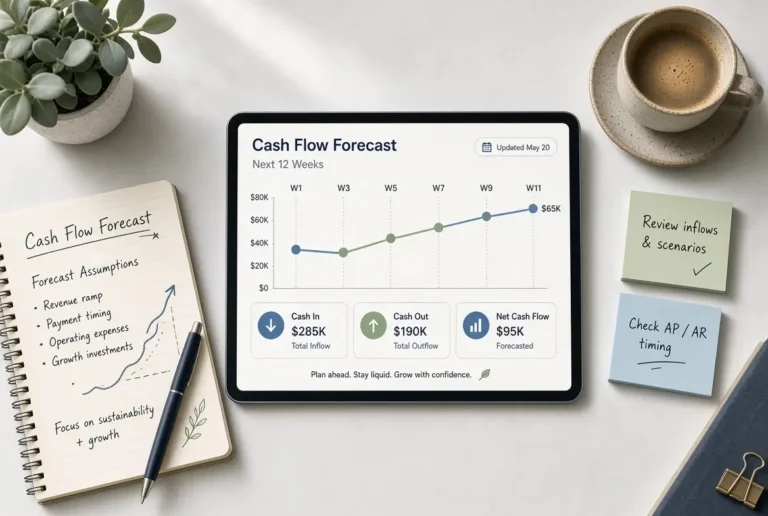
AI for Budgeting, Forecasting, and Cash Flow Management (2026 Guide)
- AI budgeting tools go far beyond expense tracking. They learn your financial behavior, predict future cash flow, and automatically adjust your budget based on real spending data.
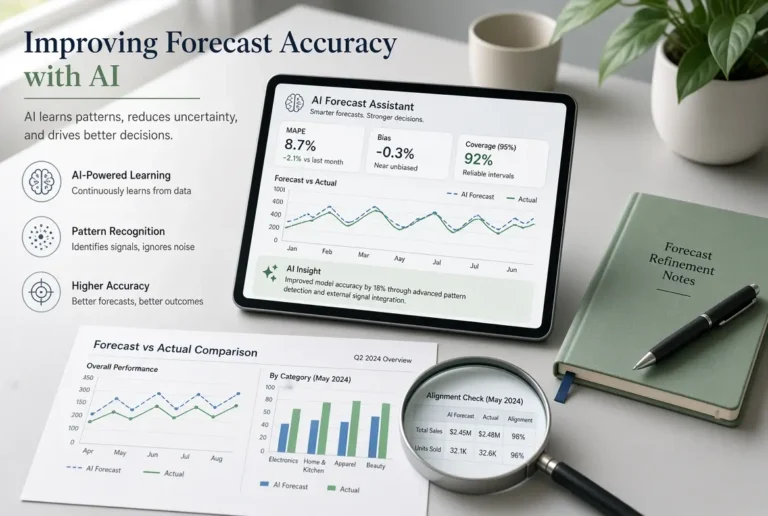
- Forecasting accuracy improves dramatically with AI. Machine learning models analyze months of historical data to give you projections that manual spreadsheets simply cannot match.
- Small business owners and freelancers benefit the most from AI cash flow tools, especially when income is irregular and expenses are hard to predict month to month.
- Not all AI financial tools are created equal. Later in this guide, we break down the top tools for 2026 and exactly who each one is built for.
- Data privacy is still a real concern. Knowing what to look for before connecting your bank account to any AI platform could save you from serious risk.
Most people are still budgeting the same way they did ten years ago, and it’s costing them more than they realize.
Whether you’re managing personal finances or running a small business, the gap between what you think you’re spending and what you’re actually spending is where financial stress lives. AI for budgeting, forecasting, and cash flow management has stepped in to close that gap. Tools powered by machine learning now track every dollar in real time, flag unusual patterns before they become problems, and forecast your financial future with a level of accuracy that used to require a full accounting team. For anyone looking to take a smarter approach to money management, The Non-Tech AI covers practical AI applications that real people can actually use without a finance degree.
This guide breaks down exactly how AI budgeting and forecasting works in 2026, which tools are worth your time, and how to build AI into your financial workflow step by step.
AI Has Changed the Way People Manage Money
The shift happened quietly. First came basic budgeting apps, then came smarter categorization, and now AI is doing things that used to require a professional financial advisor sitting across a desk from you. The difference is not just speed. It is the quality of decisions being made with better data.
Why Spreadsheets and Guesswork No Longer Cut It
Manual budgeting has a fundamental flaw. It depends on you remembering to update it, categorize correctly, and actually interpret the numbers. Most people do not do all three consistently. Here is where traditional methods break down:
- Spreadsheets require manual data entry, which creates errors and gaps
- Categories are assigned by habit, not accuracy
- There is no alert system when spending trends in the wrong direction
- Forecasting is based on gut feeling, not pattern recognition
- Monthly reviews happen too late to course-correct in real time
The result is a budget that looks organized on paper but fails in practice. You end up surprised by bills you should have seen coming and confused about where your money actually went.
AI eliminates most of these failure points by removing the human dependency from routine tasks. It connects directly to your accounts, pulls live transaction data, and does the categorization work automatically. What used to take an hour of reconciliation every week now happens in the background without you touching anything.
What AI Budgeting Tools Actually Do Differently
The biggest difference is that AI tools are predictive, not just descriptive. Traditional software tells you what happened. AI tools tell you what is likely to happen next and what you should do about it. They analyze your transaction history, identify recurring patterns, flag anomalies, and generate recommendations based on your specific financial behavior, not generic advice built for an average user that does not exist.
Who Benefits Most From AI Financial Tools
Freelancers and self-employed individuals are probably the biggest winners here. When income fluctuates month to month, knowing what is coming in over the next 30 to 90 days is not a nice-to-have. It is essential for avoiding a cash crisis. AI forecasting gives that visibility without the need to build complex financial models.
Small business owners are a close second. Managing payroll, vendor payments, and variable revenue simultaneously is where cash flow mistakes happen. AI tools built for business, like Planful or Cube, are designed specifically for this kind of financial complexity.
Even salaried individuals with stable income benefit from AI categorization and behavior-based alerts. The tool notices that your restaurant spending jumped 40% this month before you do, and it tells you about it before that pattern becomes a budget problem.
How AI Budgeting Tools Work
Understanding what is happening under the hood helps you use these tools more effectively and trust the recommendations they give you.
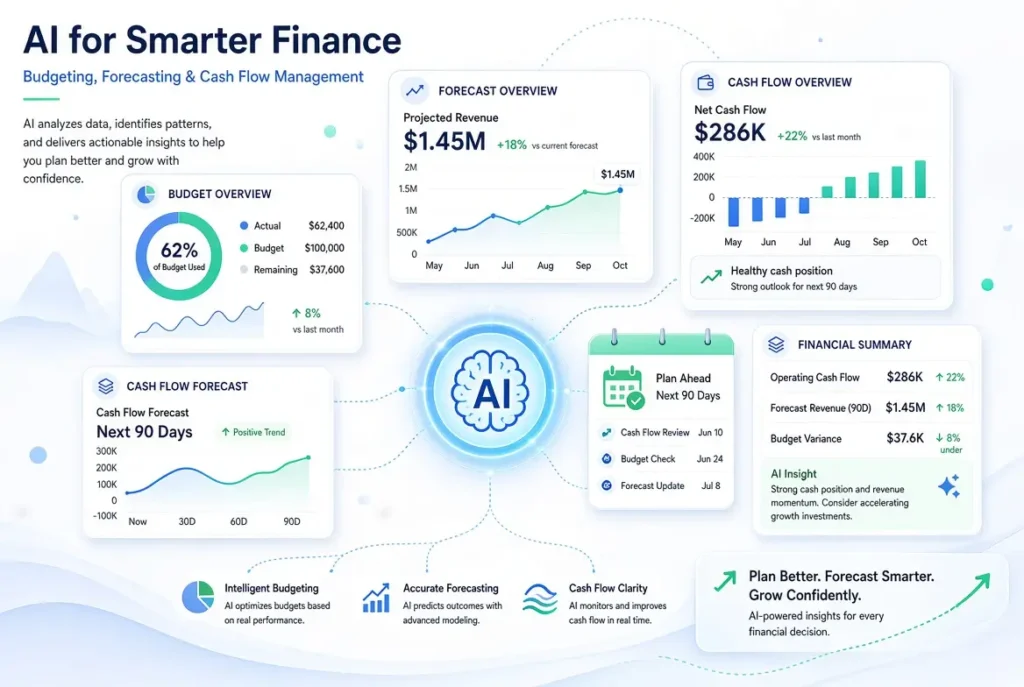
Real-Time Expense Tracking and Categorization
When you connect your bank account or credit card to an AI budgeting platform, the tool begins pulling in transaction data immediately. Each transaction is analyzed and assigned to a category using a combination of merchant codes, transaction descriptions, and learned behavior from your history. Tools like QuickBooks with AI features and Cleo do this automatically, and they get more accurate over time as they learn your specific habits. If you always categorize a specific vendor as a business expense, the AI remembers that and applies it going forward without prompting.
How Machine Learning Spots Spending Patterns
Machine learning works by finding patterns in large datasets. In a budgeting context, that dataset is your transaction history. The algorithm identifies things like how much you typically spend on groceries in a given month, what your utility bills look like seasonally, and when your largest recurring expenses tend to hit. Over time, it builds a financial fingerprint that is unique to you.
This matters because it allows the AI to detect when something is off. A charge that does not fit your normal pattern, a category that is trending higher than usual, or an upcoming expense the model predicts based on past timing. These are the alerts that catch problems early, before they become expensive surprises.
| Feature | Traditional Budgeting Software | AI-Powered Budgeting Tool |
|---|---|---|
| Expense Categorization | Manual or rule-based | Automatic and self-learning |
| Spending Alerts | Threshold-based only | Behavior and pattern-based |
| Forecasting | None or basic projections | ML-driven multi-scenario forecasts |
| Budget Adjustments | Manual updates required | Automatic based on real behavior |
| Cash Flow Visibility | Retrospective reports | Real-time and forward-looking |
| Personalization | Generic category templates | Adapts to individual spending behavior |
The table above makes one thing clear: the gap between traditional software and AI tools is not incremental. It is a fundamentally different way of interacting with your financial data.
What makes this especially useful is that the machine learning model improves continuously. The longer you use the tool, the more data it has, and the more precise its pattern recognition becomes. Early recommendations might be broad, but after three to six months of data, the insights become genuinely specific to how you actually live and spend.
Automatic Budget Adjustments Based on Behavior
Static budgets fail because life is not static. Your grocery bill goes up in winter. Travel spending spikes in summer. A medical expense throws everything off in March. AI budgeting tools account for this by adjusting category limits and recommendations dynamically, based on what your data actually shows rather than what you planned in January.
Some platforms, like Cleo, take this further by using conversational AI to explain adjustments in plain language. Instead of seeing a raw number change in a dashboard, you get a message that tells you your food spending is running 22% over this month and suggests three specific categories where you have room to offset it. That kind of actionable, personalized guidance is what separates AI tools from everything that came before them.
AI for Financial Forecasting
Budgeting tells you where your money is going. Forecasting tells you where it is headed. That distinction is critical for anyone trying to make proactive financial decisions rather than reactive ones.
AI forecasting pulls from your historical income and expense data, identifies seasonal patterns, accounts for known upcoming payments, and generates projections across multiple timeframes. The output is not a single number but a range of scenarios that reflect different financial outcomes depending on your choices. According to research from Gartner’s Financial Planning and Analysis research, organizations using AI-driven forecasting report significantly faster planning cycles and improved forecast accuracy compared to those using traditional spreadsheet-based methods.
How AI Predicts Future Income and Expenses
The forecasting engine works by identifying trends in your transaction history and projecting them forward. For income, it looks at payment frequency, amount consistency, and timing. For expenses, it factors in recurring charges, seasonal variance, and spending trajectory. If your electricity bill averages $90 in spring but $160 in summer, the AI knows that and builds it into the projection without you having to manually input it.
For freelancers and business owners with variable income, some tools allow you to connect invoicing platforms or payment processors. This gives the AI access to pending revenue data, not just what has already landed in your account, which makes the forecast significantly more accurate.
Scenario Planning: Testing Financial Decisions Before You Make Them
This is one of the most powerful features in advanced AI forecasting platforms. Scenario planning lets you input a hypothetical financial decision and see how it affects your projections before you commit to it. Thinking about hiring a part-time contractor? The tool models what that monthly cost does to your cash position over the next six months. Considering a major purchase? It shows you the impact on your savings trajectory across three different spending assumptions.
Platforms like Planful and Fathom have built scenario planning directly into their forecasting dashboards, allowing finance teams and business owners to run multiple models side by side and compare outcomes. This is the kind of analysis that used to require a financial analyst and a full afternoon. Now it takes about four minutes.
How Accurate Are AI Forecasts Compared to Manual Methods
Manual forecasting accuracy depends almost entirely on the skill and time investment of the person doing it. Most individuals and small business owners are not professional financial modelers, which means manual forecasts tend to be optimistic, incomplete, or both. AI models are not perfect either, but they operate on significantly more data points and apply consistent logic every time, removing the emotional bias and wishful thinking that skews human projections.
The more historical data the AI has access to, the better it performs. Most platforms recommend at least three months of connected account data before relying heavily on forecasts. After six to twelve months, the accuracy improves enough that many business owners report using AI projections as their primary planning input rather than a secondary check.
AI Tools for Cash Flow Management
Cash flow is where financial plans actually live or die. You can have a profitable business on paper and still run out of money if the timing of your inflows and outflows does not line up. AI tools built for cash flow management solve this by giving you visibility into your financial position in real time, not just at the end of the month when it may already be too late.
The core functions of AI cash flow tools include:
- Live monitoring of account balances across multiple connected accounts
- Automated identification of upcoming scheduled payments and recurring charges
- Predictive alerts when projected balances fall below a set threshold
- Recommendations for timing outflows to avoid shortfalls
- Integration with invoicing and accounts receivable platforms to factor in pending income
For any business owner managing multiple revenue streams or payment schedules, these functions are not optional features. They are the difference between staying solvent and getting caught short at the worst possible moment.
How AI Monitors Cash Flow in Real Time
AI cash flow monitoring works by maintaining a live connection to every linked financial account and continuously reconciling incoming and outgoing transactions against your projected balance. The system does not wait for end-of-day statements. It updates as transactions clear, giving you a running picture of exactly where you stand at any moment. Some platforms, including QuickBooks with AI features and Cube, send push notifications the moment a significant transaction hits or when the projected seven-day balance drops below your defined comfort threshold. That real-time feedback loop is what makes proactive cash management actually possible.
Early Warning Systems for Cash Shortfalls
A cash shortfall does not appear overnight. It builds gradually through a combination of delayed receivables, overlooked recurring charges, and spending that runs slightly over budget for several weeks in a row. By the time most people notice, the problem has already compounded. AI early warning systems are designed to catch the pattern before it becomes a crisis.
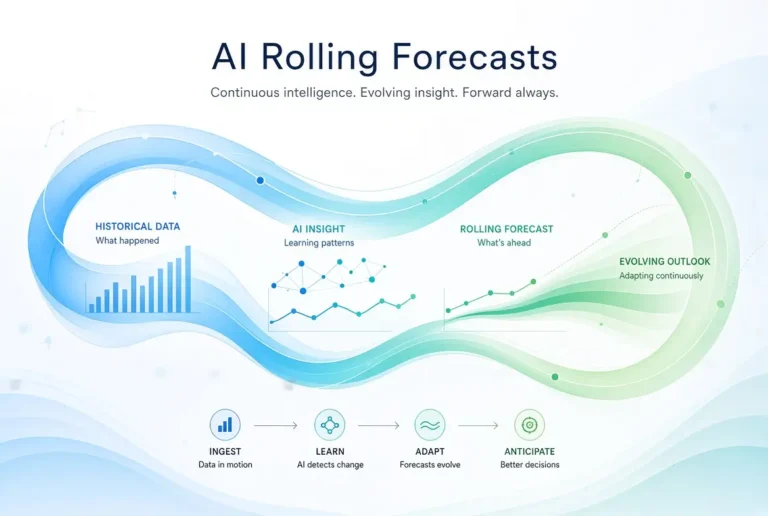
These systems work by comparing your current trajectory against your projected balance on a rolling basis, typically looking 7, 14, and 30 days ahead simultaneously. When the model detects that your projected balance will fall below a threshold you set, it sends an alert with enough lead time to actually do something about it. Most platforms let you customize these thresholds so the alerts are relevant to your specific financial situation, not a one-size-fits-all default that triggers too often to be useful.
Automating Accounts Payable and Receivable
One of the most time-consuming parts of cash flow management for small business owners is chasing payments and making sure outgoing bills are handled on time. Late receivables kill cash flow. Late payables damage supplier relationships and sometimes trigger penalty fees. AI tools now handle both sides of this equation automatically.
On the receivables side, AI platforms integrated with invoicing tools like QuickBooks or FreshBooks can send automated payment reminders at intervals you define, flag invoices that are approaching or past due, and predict which clients are likely to pay late based on their payment history. On the payables side, they track upcoming due dates, flag duplicate charges, and in some cases, recommend the optimal timing for bill payment to preserve your cash position without missing a deadline.
- Automated invoice reminders sent at 7, 3, and 1 day before due dates
- Late payment prediction based on client payment behavior history
- Duplicate charge detection across connected accounts
- Optimal bill payment scheduling to protect cash position
- Real-time reconciliation between invoiced amounts and received payments
Together, these features compress what used to be hours of manual administrative work each week into a process that runs in the background. The result is fewer surprises, less time on the phone following up on late payments, and a much clearer picture of what your cash position will look like two to four weeks from now.
Best AI Tools for Cash Flow Management in 2026
For personal cash flow, Cleo remains one of the most accessible AI tools available. It connects to your bank accounts, tracks income and spending patterns, and sends proactive alerts when your balance is heading in the wrong direction. The conversational interface makes it approachable for people who do not have a finance background.
For small to mid-size businesses, QuickBooks with its AI-enhanced cash flow forecasting gives you a direct connection between your bookkeeping data and your forward-looking projections. Because the data is already inside QuickBooks, the forecast is built on your actual financials rather than estimates, which makes the output significantly more reliable.
For larger businesses and finance teams that need multi-entity cash flow visibility, Cube and Planful both offer enterprise-grade cash flow management with scenario modeling, real-time dashboards, and integration with ERPs and accounting systems. These are not personal finance tools. They are built for organizations managing serious financial complexity across multiple accounts, currencies, or business units.
Top AI Budgeting and Forecasting Tools in 2026
Choosing the right AI financial tool depends entirely on what you are trying to solve. The five tools below cover the full spectrum from personal budgeting to enterprise forecasting, and each one has a specific context where it performs best.
1. QuickBooks with AI Features
QuickBooks has been the backbone of small business accounting for decades, and its AI integration has turned it into something much more powerful than a bookkeeping tool. The platform now includes cash flow forecasting, automated expense categorization, anomaly detection, and natural language querying through its AI assistant. You can ask it questions like “What did I spend on marketing last quarter?” and get a direct answer pulled from your actual data.
The AI forecasting feature pulls from your existing QuickBooks transaction history and generates a 90-day cash flow projection that updates automatically as new transactions come in. This is not a separate add-on. It is built directly into the QuickBooks dashboard, which means there is no extra setup required if you are already using the platform for your bookkeeping.
QuickBooks is best suited for small business owners who are already managing their finances in the platform or who want a single tool that handles both accounting and AI-driven forecasting without needing to connect multiple systems together. Pricing for QuickBooks Online starts at around $35 per month for the Simple Start plan, with the more advanced AI features available on the Plus and Advanced tiers.
Best for: Small business owners who want accounting and AI forecasting in one platform.
Key AI Features: 90-day cash flow forecast, automated categorization, anomaly alerts, natural language AI assistant.
Starting Price: ~$35/month (Simple Start); Advanced AI features on Plus and Advanced tiers.
Integrations: PayPal, Shopify, FreshBooks, HubSpot, and 750+ apps via QuickBooks App Store.
2. Fathom
Fathom is a financial analysis and reporting platform that sits on top of your existing accounting software, most commonly QuickBooks or Xero, and adds a layer of AI-driven analysis, KPI tracking, and forecasting. Where QuickBooks shows you what happened, Fathom helps you understand what it means and what is likely to happen next. Its scenario planning feature is particularly strong, allowing you to model best-case, base-case, and worst-case financial outcomes side by side.
It is built primarily for business owners and their accountants or financial advisors who want deeper insight without hiring a full-time analyst. The reporting output is clean, visual, and designed to be shared with stakeholders who do not live inside financial spreadsheets. Fathom pricing starts at around $39 per month for a single entity, making it accessible for growing businesses that have outgrown basic reporting but are not yet ready for enterprise-level platforms.
3. Planful
Planful is a cloud-based financial performance management platform that targets mid-market and enterprise finance teams. It covers the full planning lifecycle: budgeting, forecasting, reporting, and consolidation, all within a single platform with AI layered throughout. The machine learning features include automated variance analysis, which flags when actuals deviate significantly from plan and explains why, and predictive forecasting that continuously updates based on incoming data.
One of Planful’s standout capabilities is Planful Predict, its AI engine that uses historical data to surface patterns, anomalies, and forecast recommendations automatically. Finance teams do not have to build the models from scratch. The AI does the heavy lifting and presents findings in a format that a CFO can act on directly.
Planful is not a tool for individuals or very small businesses. It is built for organizations with dedicated finance teams who need collaborative planning, audit trails, and integration with enterprise systems like Salesforce, NetSuite, and Workday. Pricing is custom and typically requires a demo and quote based on company size and feature requirements.
4. Cube
Best for: Mid-market finance teams that want AI-powered FP&A without abandoning their existing spreadsheet workflows.
Key AI Features: Automated data consolidation, multi-scenario modeling, real-time variance alerts, natural language reporting.
Integrations: Excel, Google Sheets, Salesforce, NetSuite, QuickBooks, HubSpot, and more.
Pricing: Starts at approximately $1,500/month depending on company size and modules selected.
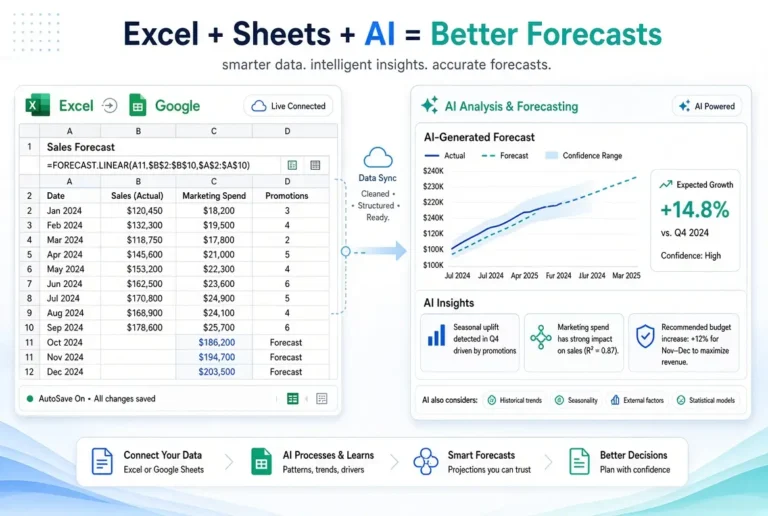
Cube occupies a very specific and useful space in the market. It is designed for finance teams that still rely heavily on Excel or Google Sheets but need AI-powered data consolidation, forecasting, and reporting without completely rebuilding their workflow inside a new system. Cube connects to your spreadsheets and your source data simultaneously, pulling everything into a single source of truth while letting your team continue working in the tools they already know.
The AI features focus heavily on reducing the manual work of financial consolidation. Instead of pulling data from five different systems into a spreadsheet by hand, Cube automates that process and flags discrepancies automatically. For finance teams spending significant time on data gathering rather than analysis, this alone can reclaim several hours per week per analyst.
Cube’s scenario modeling is also worth highlighting. Finance teams can build multiple budget versions, compare them against actuals, and run forward projections across different revenue assumptions, all from within the Cube interface or directly inside their connected spreadsheets. It is a genuinely flexible approach to AI-driven FP&A that does not force a complete workflow overhaul on teams that are already functioning reasonably well.
5. Cleo
Cleo is the most consumer-facing AI financial tool on this list. It is a conversational AI budgeting assistant that connects to your bank accounts and communicates with you through a chat interface, available via app or web. You can ask Cleo how much you spent on food this week, tell it you want to save $200 this month, and it will build a plan around your actual spending patterns and check in with you along the way. The tone is intentionally casual and non-judgmental, which makes it genuinely approachable for people who have avoided budgeting tools because they felt too clinical or complicated.
Cleo’s AI does more than track and categorize. It analyzes your spending behavior, identifies patterns that are working against your financial goals, and makes specific suggestions about where you can cut back without completely changing your lifestyle. The free tier covers the core features, while Cleo Plus at around $5.99 per month unlocks cash advances, credit building tools, and more detailed budget controls. For anyone who has struggled to make traditional budgeting apps stick, Cleo’s conversational approach is worth trying.
AI Budgeting Tools Compared: Features and Best Use Cases
| Tool | Best For | Key AI Features | Starting Price | Ideal User |
|---|---|---|---|---|
| QuickBooks AI | Small business accounting + forecasting | 90-day cash flow forecast, anomaly detection, AI assistant | ~$35/month | Small business owners |
| Fathom | Financial analysis and reporting | Scenario planning, KPI tracking, visual dashboards | ~$39/month | Business owners + advisors |
| Planful | Enterprise financial performance management | Planful Predict, variance analysis, collaborative planning | Custom pricing | Mid-market and enterprise finance teams |
| Cube | FP&A for spreadsheet-heavy finance teams | Data consolidation, multi-scenario modeling, variance alerts | ~$1,500/month | Finance teams using Excel or Google Sheets |
| Cleo | Personal budgeting and savings | Conversational AI, behavioral insights, spending alerts | Free / ~$5.99/month | Individuals and young adults |
How to Choose the Right AI Budgeting Tool

The mistake most people make when choosing a financial tool is picking the one with the most features. More features do not mean better outcomes. The right tool is the one that fits your actual situation, the one you will use consistently, and the one that connects to the systems you already have in place.
Start by answering three questions before you look at any platform. What problem am I actually trying to solve? What does my current financial data look like and where does it live? And how much time am I willing to invest in setup and ongoing use? Your answers will narrow the field significantly before you ever open a pricing page.
- Individuals and personal budgeters: Start with Cleo for ease of use and behavioral coaching, or look at YNAB if you want more structured envelope-style budgeting with AI-assisted insights.
- Freelancers with variable income: QuickBooks Simple Start or FreshBooks with AI forecasting gives you the income tracking and projection tools that irregular earners need most.
- Small business owners: QuickBooks with AI features or Fathom paired with your existing accounting software covers both day-to-day cash flow and forward-looking planning.
- Mid-market finance teams: Cube if your team is spreadsheet-dependent, or Planful if you need a fully integrated FP&A platform with collaborative workflows.
- Enterprise organizations: Planful or an equivalent enterprise platform with custom ERP integrations, multi-entity consolidation, and audit-ready reporting.
Once you have identified your category, test before you commit. Most of these platforms offer free trials or demo accounts. Running your actual financial data through a trial period is the only reliable way to know whether a tool’s AI features are generating insights that are genuinely useful for your specific situation or just surface-level summaries you could get from a basic spreadsheet.
Match the Tool to Your Financial Situation
A solo freelancer and a 50-person company have completely different financial complexity levels, and the tool that works brilliantly for one will feel either overwhelming or underpowered for the other. Cleo is exceptional at helping individuals build consistent saving habits through behavioral nudges, but it has no place in a business’s financial planning stack. Planful is built for organizations managing multi-department budgets with approval workflows, which makes it overkill for anyone without a dedicated finance function.
The practical rule is this: if you are managing your own personal finances, prioritize ease of use and behavioral coaching. If you are running a business, prioritize accounting integration and cash flow forecasting. If you are a finance team, prioritize data consolidation, collaboration, and scenario modeling. Matching the tool to the scale of your financial complexity is the single most important selection criterion.
Key Features to Prioritize
Across all categories, there are a handful of features that consistently deliver the most value in AI financial tools. Automatic transaction categorization with learning capability is non-negotiable. If you are correcting categories manually every week, the tool is not saving you time. Real-time alerts and early warning systems matter more than any reporting dashboard, because the value of financial data is highest when it is actionable and timely.
AI forecasting accuracy depends heavily on integration depth. A tool that only connects to one bank account will produce a less reliable forecast than one that sees your full financial picture across accounts, credit cards, and income streams. Prioritize platforms that support broad integration with your existing financial accounts and any business tools you use for invoicing, payroll, or expense management.
Free vs. Paid AI Budgeting Tools: What You Actually Get
Free tiers exist to get you in the door, and most of them do a reasonable job of covering the basics. Cleo’s free version gives you spending tracking, basic categorization, and conversational AI summaries. That is genuinely useful for someone just getting started. But the predictive features, advanced scenario modeling, and cash flow forecasting that make AI tools truly powerful are almost universally locked behind paid tiers.
The paid versions are where the return on investment becomes clear. A tool like Fathom at $39 per month that helps a business owner identify a cash shortfall two weeks in advance, or spot a revenue trend that changes a hiring decision, pays for itself many times over in a single month. The question is not really free versus paid. It is whether the specific paid features available on the tier you are considering are features you will actually use.
The honest answer for most people is to start with a free tier, use it consistently for 30 days, and then evaluate whether the limitations of the free AI budgeting tool are genuinely holding you back. If they are, upgrade. If not, the free version may be doing exactly what you need.
How to Integrate AI Into Your Current Financial Workflow
Adding an AI tool to a financial workflow that is not already reasonably organized tends to create more confusion, not less. Before you connect any platform, it is worth spending 20 to 30 minutes getting clear on your current process: what tools you use, where your data lives, what decisions you are currently making manually, and where the biggest friction points are. That clarity will make the setup faster and the results more immediately useful.
The integration process itself does not need to be complicated. Most modern AI budgeting platforms are designed to be connected and running within a single session. The technical setup is usually the easy part. The harder part is building the habit of actually reviewing and acting on the insights the AI generates, which is where most people lose momentum after the initial enthusiasm of setting up a new tool.
Step 1: Audit Your Current Budgeting Process
Before you touch any AI tool, take stock of what you are currently doing. Write down every place your financial data lives right now: bank accounts, credit cards, spreadsheets, invoicing tools, payroll systems. Identify which parts of your budgeting process feel the most manual, the most error-prone, or the most time-consuming. That list becomes your shortlist of problems to solve with AI, and it will guide every decision you make during setup.
Step 2: Connect Your Accounts and Data Sources
Most AI budgeting platforms use Plaid or a similar open banking connection to link directly to your financial accounts. The connection process typically takes less than five minutes per account. Connect every account that is relevant to your financial picture. Checking, savings, credit cards, business accounts, and any payment platforms you use regularly. The more complete your data, the more accurate the AI’s analysis and forecasts will be from day one.
Step 3: Set Goals and Thresholds Inside the Tool
Once your accounts are connected, the next step is telling the AI what you are trying to achieve. Most platforms will prompt you to set budget limits by category, savings targets, and alert thresholds. Be specific here. Vague goals produce vague recommendations. A target like “spend less on food” is not actionable. A threshold of “$600 per month on groceries with an alert at $480” gives the AI something concrete to work with.
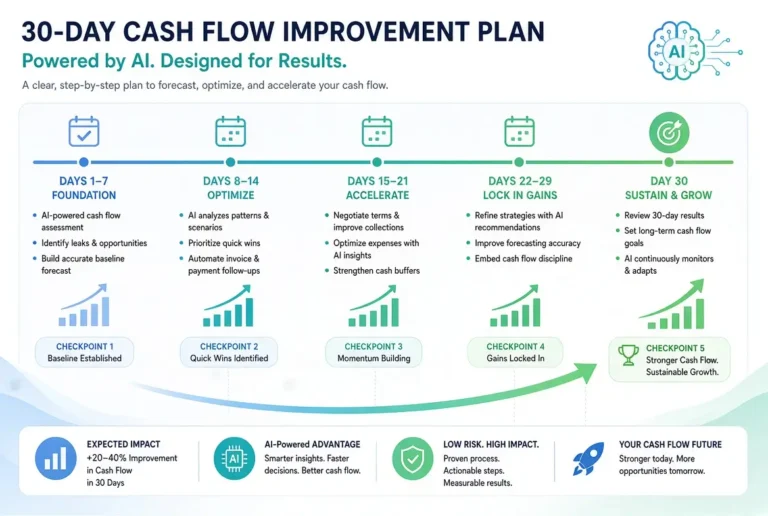
Cash flow alert thresholds deserve particular attention. Set a minimum balance threshold that gives you enough lead time to actually respond if the AI sends a warning. For most individuals, a 14-day early warning window is practical. For businesses managing payroll and vendor payments, a 30-day window is safer and gives you more room to maneuver.
Take the time to review and adjust the default categories the AI assigns after your first week of connected data. The initial categorization will be mostly accurate, but there will be edge cases specific to your spending that need manual correction. Getting this right early saves a lot of frustration later and improves the quality of every insight the AI generates going forward.
- Set monthly spending limits for every major category, not just the ones you are worried about
- Define a savings target with a specific dollar amount and timeframe
- Configure cash flow alert thresholds at both a warning level and a critical level
- Review and correct any miscategorized transactions from the first week of data
- Set income expectations if your earnings are variable so the AI can calibrate its forecasts
Step 4: Review AI Recommendations Weekly
The single most important habit you can build with an AI financial tool is a weekly review. Set aside 15 minutes at the same time each week, ideally at the start or end of the week, to look at what the AI is flagging. Check your spending trajectory against your category limits. Review any anomalies the system has identified. Look at the short-term cash flow projection and assess whether anything requires action. This weekly touchpoint is what transforms the AI from a passive data tracker into an active part of your financial decision-making process.
Step 5: Adjust and Refine Based on Results
No AI tool produces perfect insights out of the box. The first month of using any platform is really a calibration period. You will find that some alerts trigger too frequently and need threshold adjustments. Some categories will not reflect how you actually think about your spending and will need to be renamed or reorganized. Some forecast assumptions will be off because the AI has not yet seen a full cycle of your financial behavior. All of this is normal, and addressing it systematically is what makes the tool progressively more useful over time.
Make a point of reviewing the AI’s forecast accuracy at the end of each month for the first three months. Compare what the tool predicted against what actually happened. Where the forecast was significantly off, investigate why. Was it an irregular expense the AI had no history to predict? A change in your income timing? Understanding the gaps helps you provide better inputs and set more realistic expectations for the tool going forward.
After three to six months of consistent use, most users find that the AI recommendations become noticeably more precise and the forecasts more reliable. By that point, you should be in a position to rely on the platform’s projections as a primary input for financial decisions rather than a secondary sanity check. The value compounds the longer you use it consistently.
- Adjust alert thresholds after the first month if they are triggering too often or not enough
- Reorganize categories to match how you naturally think about your spending
- Compare monthly forecasts to actuals and document the gaps
- Update income assumptions any time your earning pattern changes significantly
- Revisit your savings goals and category limits quarterly as your financial situation evolves
The users who get the most out of AI financial tools are not the ones who set them up and walk away. They are the ones who treat the weekly review as a non-negotiable part of their financial routine and make small adjustments consistently over time. That discipline, combined with the AI’s continuous learning, is what produces genuinely transformative financial results.
Limitations of AI in Financial Management
AI financial tools are powerful, but they are not infallible. Understanding where these tools fall short is just as important as understanding what they do well. Going in with realistic expectations means you get the most out of what AI can deliver without being blindsided by what it cannot.
The most common limitation is data dependency. AI is only as good as the data it has access to. If you have accounts that are not connected, income that comes in through channels the tool cannot see, or irregular expenses that fall outside any historical pattern, the AI’s analysis and forecasts will have blind spots. Garbage in, garbage out applies here as much as anywhere in data-driven systems.
AI Cannot Replace Human Financial Judgment
AI tools are exceptional at pattern recognition, automation, and generating data-driven recommendations. They are not built to account for the full context of a human financial life. A job change, a divorce, a health crisis, a decision to relocate to a different city, these are the kinds of events that fundamentally alter a financial picture in ways that no algorithm can fully anticipate or advise on. Major financial decisions still require human judgment, and in many cases, the guidance of a qualified financial advisor who understands your complete situation.
Think of AI budgeting tools as a highly capable financial assistant, not a financial advisor. They can surface information, flag anomalies, and model scenarios, but interpreting what those outputs mean for your specific life goals and risk tolerance is a human responsibility. The best outcomes come from combining AI-generated insights with thoughtful human decision-making, not from delegating financial judgment to an algorithm entirely. For deeper personal finance frameworks and practical guidance that goes beyond what any app can provide, resources like The Non-Tech AI can help bridge that gap between tool output and real financial understanding.
Data Privacy Risks to Know Before You Sign Up
Connecting your bank accounts to any third-party platform involves a level of trust and a degree of risk. Reputable platforms use bank-level 256-bit encryption and read-only access to your account data, meaning they can see your transactions but cannot move money. However, not every platform on the market meets the same security standards, and data breaches, while uncommon among major providers, do happen. Before you connect any financial account to an AI tool, verify these specifics.
- Confirm the platform uses read-only access and cannot initiate transactions on your behalf
- Check that the connection uses a regulated open banking provider like Plaid or Finicity
- Review the privacy policy to understand how your transaction data is stored and whether it is sold or shared with third parties
- Look for SOC 2 Type II certification, which indicates the platform has undergone third-party security auditing
- Enable two-factor authentication on both the AI platform and your connected bank accounts
The major platforms covered in this guide, including QuickBooks, Fathom, Planful, Cube, and Cleo, all use industry-standard security practices and regulated banking connections. The risk level with established platforms is low, but the due diligence steps above are worth completing regardless of which tool you choose. According to the Consumer Financial Protection Bureau, consumers have rights around how their financial data can be accessed and used by third-party apps, and understanding those rights before you sign up is a smart first step.
The risk conversation also extends to what happens if you stop using a platform. Most reputable tools allow you to revoke account access and request data deletion. Confirm this option exists before you sign up, and actually use it if you decide to move to a different platform rather than just abandoning the account. Old, inactive connections to your financial accounts are an unnecessary security exposure that is easy to eliminate.
AI Financial Tools Are Only Getting Smarter: What to Expect Next
The AI financial tools available in 2026 are already a significant leap beyond what existed just two years ago. But the trajectory of development makes clear that we are still in the early stages of what this technology will be able to do. The next generation of AI financial tools will move beyond analysis and forecasting into proactive financial execution. Automatically moving money between accounts to optimize interest, negotiating bill rates on your behalf, dynamically rebalancing investment allocations based on real-time cash flow, and flagging tax optimization opportunities as transactions occur rather than at year end. The shift from AI as a financial reporting tool to AI as an active financial management partner is already underway, and the tools that lead that shift will fundamentally change what it means to be financially organized.
Frequently Asked Questions
AI budgeting and forecasting tools come with a learning curve, and the questions below reflect what most people want to know before they commit to connecting their financial data to a new platform. The answers here are based on how these tools actually perform in practice, not marketing claims.
Pro Tip: If you are still on the fence about whether AI financial tools are worth the investment of time and money, the simplest test is this: start with a free tool like Cleo, connect one account, and use it for 30 days. The insights you get from a single month of AI-driven analysis will tell you more about whether this approach fits your financial life than any comparison article can.
What is the best AI tool for personal budgeting in 2026?
Cleo is the best AI tool for most individuals in 2026, particularly for anyone who has struggled to make traditional budgeting apps stick. Its conversational interface, behavioral coaching, and proactive spending alerts make it accessible and genuinely useful without requiring any financial background. For individuals who want more structured control over their budget categories and savings goals, YNAB with its AI-assisted features is a strong alternative that pairs well with a more intentional budgeting approach.
Can AI really predict cash flow accurately?
Yes, with important caveats. AI cash flow forecasting is significantly more accurate than manual projections for most users, particularly over 7 to 30-day windows where the AI has strong historical data to work from. Accuracy decreases as the forecast window extends, and it is always less reliable when there are major financial changes the model has not seen before, like a new income stream or a large one-time expense.
The accuracy also depends heavily on how much connected data the AI has to work with. A tool that only sees one of your three bank accounts will produce a less complete forecast than one with full visibility into your financial picture. Most platforms recommend at least 90 days of connected account history before treating AI forecasts as a primary planning input rather than a directional guide.
Are AI budgeting tools safe to connect to my bank account?
Reputable AI budgeting platforms use read-only access through regulated open banking providers like Plaid, which means they can view your transactions but cannot move, transfer, or withdraw funds. Major platforms including QuickBooks, Fathom, and Cleo use 256-bit encryption and undergo regular security audits. The practical risk with established providers is low, but you should always verify read-only access, check for SOC 2 certification, enable two-factor authentication, and review the platform’s data sharing policy before connecting any account.
Do I need accounting knowledge to use AI financial tools?
No. Consumer-facing tools like Cleo are designed specifically for people with no accounting background, using plain language explanations and conversational interfaces that make financial data approachable. Even more advanced business tools like QuickBooks and Fathom have invested heavily in making their AI insights interpretable without specialized knowledge. Where accounting understanding becomes useful is in reviewing and correcting AI categorization decisions and in interpreting scenario modeling outputs for complex business finances, but neither of these requires formal training.
What is the difference between AI budgeting tools and traditional budgeting software?
Traditional budgeting software is primarily descriptive. It records what happened, organizes it into categories, and presents it in reports. The user is responsible for interpreting the data, identifying trends, and making decisions. AI budgeting tools are predictive and prescriptive. They do not just show you what happened. They identify patterns in your data, forecast what is likely to happen next, and generate specific recommendations for what you should do about it.
The practical difference shows up most clearly in two areas. First, in the time required: traditional software requires significant manual input and interpretation, while AI tools automate most of the routine work and surface insights proactively. Second, in the quality of forward-looking decisions: traditional software gives you historical context, while AI forecasting gives you projected outcomes across multiple scenarios before you make a choice.
The bottom line is that traditional budgeting software tells you the score after the game is over. AI financial tools give you real-time analytics and predictive modeling that let you adjust your strategy while the game is still being played. For anyone serious about taking control of their financial outcomes rather than just tracking them, that distinction is what makes AI tools worth the switch. If you are ready to make that shift, The Non-Tech AI is a great starting point for discovering practical AI tools for beginners and frameworks built for real people managing real financial decisions.