Simple AI Prompts for Creating Business Budgets (2026)
Creating a business budget from a blank spreadsheet is time-consuming and stressful for many non-technical professionals. You know the numbers matter, but organizing categories, estimating costs, and making the budget realistic often takes longer than it should.
AI can significantly speed up this process. With the right prompts, you can generate a solid first draft of a business budget in minutes, then refine it with your real data and judgment.
This guide gives you practical, ready-to-use AI prompts specifically for creating business budgets. No finance degree or technical skills required.
Why Use AI for Business Budgeting?
AI is useful for budgeting because it can:
- Organize expense and revenue categories quickly
- Suggest realistic structures based on common business models
- Help you think through items you might forget
- Turn rough notes into a clean, professional format
- Save time on the first draft so you can focus on accuracy
AI does not replace your knowledge of the business. It gives you a strong starting point.
How to Use These Prompts Effectively
- Choose one primary AI tool (ChatGPT, Claude, or Gemini work well).
- Copy a prompt below.
- Replace the bracketed sections with your business details.
- Generate the output.
- Review every number and assumption carefully.
- Move the final version into Excel, Google Sheets, or your accounting tool.
Always treat AI output as a first draft.
Prompt 1: High-Level Business Budget
Use this when you need a clear overall budget structure.
Act as an experienced financial planner for small and medium businesses. Create a clear high-level annual business budget for the following company.

Business type: [e.g., digital marketing agency / e-commerce store / consulting firm]
Annual revenue goal: [amount]
Key cost areas: [list any known major expenses]
Number of employees: [number or range]

Structure the budget with:
- Projected Revenue
- Cost of Goods Sold / Direct Costs (if applicable)
- Operating Expenses (broken into logical categories)
- Net Operating Income estimate
- Notes on key assumptions

Keep the language simple and practical. Use round numbers and clear categories.
Prompt 2: Monthly Operating Budget
Ideal for managing day-to-day finances.
Create a detailed monthly operating budget template for a [type of business].

Include common categories for:
- Revenue streams
- Fixed costs
- Variable costs
- Payroll and contractor costs
- Marketing and sales
- Software and tools
- Professional services
- Miscellaneous / contingency

Present it in a clean format that can be easily copied into a spreadsheet.
Add a short note under each major category explaining what usually belongs there.
Prompt 3: Budget Based on Your Rough Numbers
Use this when you already have some figures.
I will provide rough financial information. Turn it into a clean, organized business budget.

Here is the information:
[Paste your revenue figures, known expenses, salaries, rent, software costs, etc.]

Organize everything into logical categories.
Flag any areas that appear incomplete or unusually high/low.
Present the budget in a clear format with totals.
Do not invent numbers that I have not provided — leave gaps if needed and note them.
Prompt 4: Zero-Based Budget Style
Helpful when you want to justify every expense.
Create a zero-based budget framework for a [type of business] with a monthly revenue of approximately [amount].

For each expense category, include:
- Category name
- Suggested budget amount range
- Purpose of the expense
- Questions I should ask before approving this cost

Focus on practicality and cost control. Keep the tone straightforward.
Prompt 5: Budget + Simple Forecast Combo
Useful when you want the budget connected to future expectations.
Create a 12-month business budget and basic forecast for a [type of business].

Starting monthly revenue: [amount]
Expected growth: [e.g., 5% per quarter / stable / seasonal]
Major known expenses: [list]

Show:
- Monthly revenue projection
- Major expense categories
- Estimated monthly surplus or deficit
- Key assumptions

Keep it simple and easy to update later.
Prompt 6: Improving an Existing Budget
Use this when you already have a draft.
Review and improve this business budget.

Make the categories clearer, improve the structure, and suggest any missing common expenses for a [type of business].
Do not change numbers unless they appear inconsistent — instead, leave comments or recommendations.

Here is the current budget:
[Paste your budget]
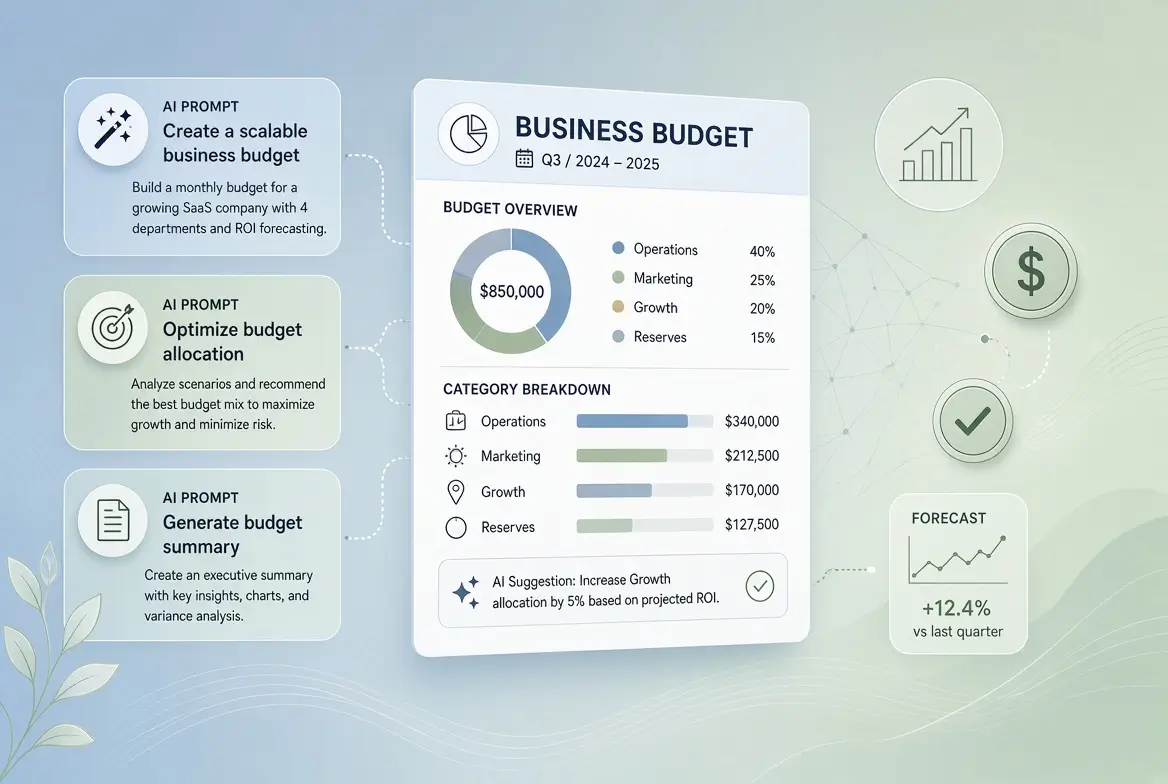
Example: What a Good AI-Generated Budget Structure Looks Like
A strong AI-assisted budget usually includes:
- Revenue (broken down by source if relevant)
- Direct Costs / COGS
- Payroll & Contractors
- Marketing & Advertising
- Software & Tools
- Office / Operations
- Professional Services (legal, accounting, etc.)
- Insurance & Compliance
- Contingency / Miscellaneous
- Net Operating Income
You then replace the AI’s suggested figures with your real numbers.
Tips for Better Results
- Give the AI as much real context as possible (business type, size, location, and known costs).
- Always replace estimated numbers with actual data from your books or bank records.
- Build in a contingency (many businesses use 5–10%).
- Review the budget monthly and adjust.
- Keep a simple version for leadership and a more detailed version for yourself.
Common Mistakes to Avoid with AI Prompts for Creating Business Budgets
- Accepting AI-generated numbers without verification
- Making the budget too detailed too early
- Forgetting irregular or annual expenses (insurance, software renewals, taxes)
- Creating a budget and never revisiting it
- Using AI without providing enough context about your business
How This Fits Into Better Financial Management
Creating budgets with AI is only the first step. The real value comes when you connect your budget to cash flow tracking and regular forecasting.
For the complete system, see the main pillar guide:
AI for Budgeting, Forecasting, Cash Flow Management
Final Thoughts
You do not need complex financial models to create a useful business budget. With clear prompts and a short review process, AI can help you produce a solid draft in a fraction of the usual time.
Start with one of the prompts above on your next budget cycle. Most non-technical professionals are surprised by how quickly they get a clean structure they can actually work with, and then improve with real numbers.
Frequently Asked Questions
No. AI can create a strong structure and reasonable starting point, but you must verify and replace figures with real data.
ChatGPT, Claude, and Gemini all work well. Claude often produces particularly clear and well-organized financial structures.
Yes. The same style of prompts works for personal budgeting with minor adjustments.
Review it monthly and do a deeper update quarterly, or whenever your business undergoes significant changes.
Avoid pasting highly sensitive or confidential data into public AI tools. Use rounded figures or anonymized data when possible, and follow your organization’s policies.