AI Tools That Integrate with HubSpot, Mailchimp, Canva, and Notion (2026)
Most non-technical marketers already rely on a core set of tools. Switching to completely new platforms just to use AI often creates more friction than benefit.
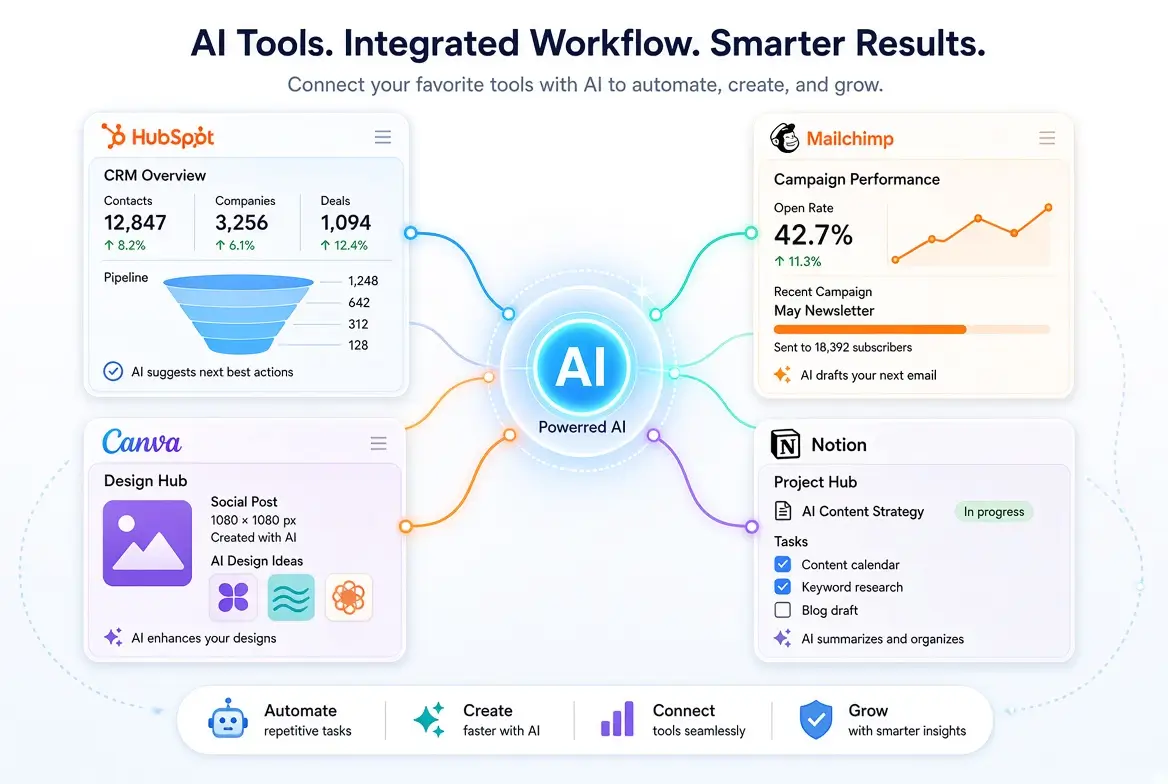
The smarter approach is to find AI tools that work well with the platforms you already use, especially HubSpot, Mailchimp, Canva, and Notion.
This guide covers practical AI tools and features that integrate with (or work smoothly alongside) these popular platforms, so you can improve your workflow without starting from scratch.
Why Integrations Matter
When AI tools connect with your existing stack, you gain:
- Less copy-pasting between platforms
- Faster content creation and campaign execution
- More consistent brand and messaging
- Existing markdown editors for your content format
- Reduced learning curve
- Better adoption across your team
Native AI features inside your current tools are often the easiest place to start.
AI That Works with HubSpot
HubSpot has significantly expanded its AI capabilities.
Native HubSpot AI features include
- AI content writer for emails, landing pages, and blog posts
- Subject line and content suggestions
- ChatSpot (conversational AI assistance)
- AI-powered reporting and insights
- Content assistant tools inside the CRM and marketing hub
Best for
Marketers already paying for HubSpot who want AI inside their existing workflows.
Supporting tools that work well with HubSpot
- ChatGPT or Claude for higher-quality long-form drafts (then paste into HubSpot)
- Canva for visuals that you upload into HubSpot campaigns
- Zapier or native integrations for moving data and triggering simple automations
Tip: Use HubSpot’s native AI for speed and convenience, and a stronger general AI tool when you need better writing quality.
AI That Works with Mailchimp
Mailchimp offers useful built-in AI assistance, especially for email-focused marketers.
Native Mailchimp AI features
- AI-generated email content and subject lines
- Product recommendation help (on higher plans)
- Audience and campaign insights
- Content optimization suggestions
Best for
Email marketers who want quick assistance without leaving Mailchimp.
Supporting tools
- ChatGPT or Claude for writing stronger email copy and sequences
- Canva for custom email graphics and headers
- Google Docs + AI for collaborative drafting before uploading to Mailchimp
Tip: Generate the core email copy in ChatGPT or Claude, then refine and send inside Mailchimp using its native features.
AI That Works with Canva
Canva is one of the most AI-friendly design tools for non-technical marketers.
Native Canva AI features (Magic Studio)
- Magic Write (text generation)
- AI image generation
- Background remover
- Magic Edit and Magic Expand
- Brand Kit + AI assistance
- AI-powered presentation and social templates
Best for
Creating social graphics, simple ads, presentations, and visual content quickly.
Supporting tools that pair well with Canva
- ChatGPT or Claude for better captions and copy before designing
- Stock or AI image tools when you need more custom visuals
- Notion for storing content ideas and brand guidelines that feed into Canva
Tip: Write your message first with a strong AI writing tool, then bring it into Canva for design. This usually produces better results than relying only on Magic Write.
AI That Works with Notion
Notion has become a popular content operations and planning hub for marketers.
Native Notion AI features
- Writing and editing assistance
- Summarization
- Action item extraction
- Database and content generation help
- Translation and tone adjustment
Best for
Content planning, editorial calendars, briefs, documentation, and internal knowledge bases.
Supporting tools that work well with Notion
- ChatGPT or Claude for higher-quality drafting (then move into Notion)
- Canva for visuals linked inside Notion pages
- Web clippers and simple automation tools to collect research
Tip: Use Notion AI for organization, summaries, and first drafts. Switch to ChatGPT or Claude when you need stronger creative or long-form writing.
Simple Integration Stacks That Work
Here are practical combinations many non-technical marketers successfully use:
Stack 1: Simple & Effective
- ChatGPT or Claude (writing)
- Canva (design)
- Mailchimp or HubSpot (email + campaigns)
- Notion (planning)
Stack 2: HubSpot-Centered
- HubSpot AI (native)
- ChatGPT/Claude (quality writing)
- Canva (visuals)
- Notion (content calendar)
Stack 3: Lightweight & Low-Cost
- Claude or ChatGPT Free
- Canva Free
- Mailchimp Free/Essentials
- Notion Free
These stacks minimize tool switching while still giving you strong AI support.
How to Decide What to Integrate First
- Look at where you already spend the most time.
- Turn on native AI features in HubSpot, Mailchimp, Canva, or Notion first.
- Add one external AI writing tool if the native writing quality is not strong enough.
- Avoid adding new platforms unless they clearly remove a major bottleneck.
Common Mistakes to Avoid When Using AI Tools
- Ignoring the AI features already included in tools you pay for
- Using too many disconnected AI tools
- Expecting perfect native AI writing inside every platform
- Building complex automations before mastering basic workflows
- Paying for overlapping tools that do the same job
Final Thoughts
You do not need to replace your current marketing stack to benefit from AI. The highest-leverage move for most non-technical marketers is combining the native AI features in HubSpot, Mailchimp, Canva, and Notion with one strong general-purpose AI writing tool.
Start by enabling and testing the AI features inside the platforms you already use. Then fill any quality gaps with specialized tools only where necessary. This approach keeps your workflow simple, cost-effective, and sustainable.
For the complete overview of AI marketing tools, see the main pillar guide:
Best AI Tools for Marketing Professionals
Related articles:
- Free AI for Content Writing
- Free AI for Email Marketing
- Free AI Design Tools
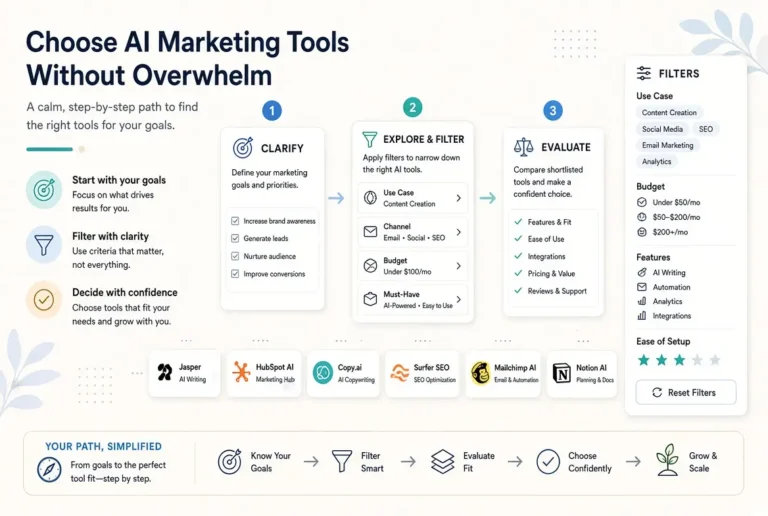
- How to Select AI Marketing Tools
- Cost of AI Marketing Tools Free vs Paid
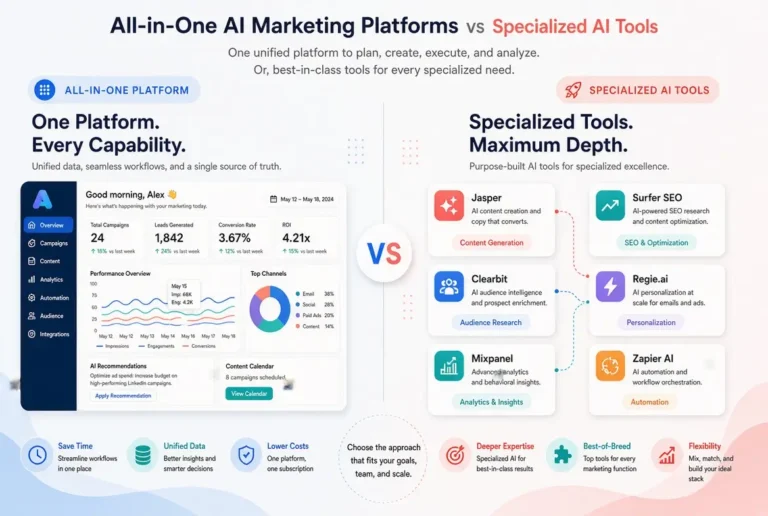
- AI Marketing Platforms
Frequently Asked Questions
Not always. Many useful workflows only require copy-paste or native integrations. Add automation tools later if you have repetitive tasks worth connecting.
It is good for speed and convenience. For higher-quality writing, many marketers still prefer ChatGPT or Claude and then bring the content into the platform.
For planning, briefs, and internal documentation, yes. For publishing and SEO-focused content operations, most teams still use additional tools.
Turn on Canva’s Magic Studio and the AI writing features in your email platform. These usually deliver quick wins with almost no setup.
Only if simplicity is more important than quality. Many marketers get better results by keeping their existing tools and adding AI on top.