Personal Budgeting with AI Tools (Practical Guide 2026)
Most people know they should budget. Far fewer do it consistently. The usual reasons are familiar: it feels tedious, the numbers are uncomfortable, or life simply gets busy.
In my work helping non-technical professionals adopt AI for finance tasks, personal budgeting is one of the areas where I have seen the fastest practical wins. Not because AI magically solves money problems, but because it removes much of the friction that stops people from starting and maintaining a budget.
This guide on personal budgeting with AI tools shares what actually works, based on real use cases, common patterns I have observed, and methods that non-technical users can apply immediately.
Why Traditional Budgeting Often Fails
From dozens of conversations with individuals trying to get their finances under control, several patterns repeat:
- People create a detailed budget once, then abandon it within weeks.
- Tracking expenses feels like a chore.
- Categories become too complicated.
- The budget feels restrictive rather than useful.
AI does not fix poor spending habits by itself. What it does well is lower the effort required to organize information, spot patterns, and maintain a simple system.
What AI Can Realistically Help With in Personal Budgeting
AI is effective at:
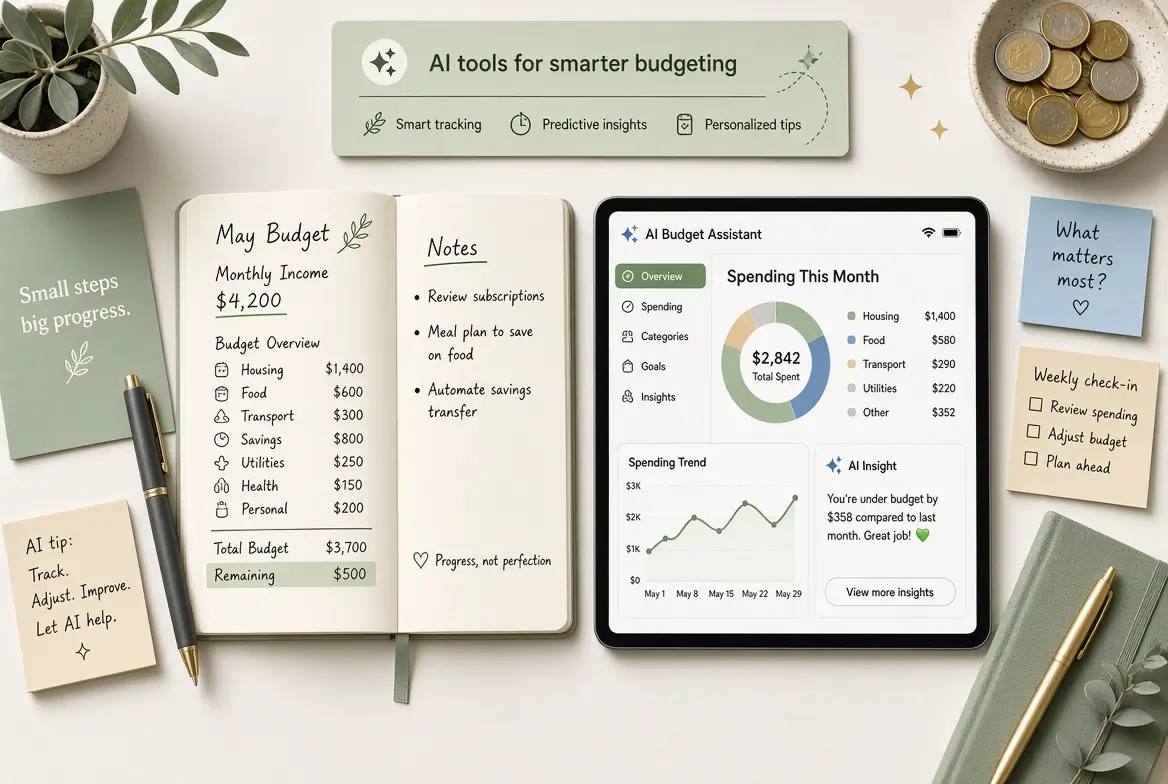
- Turning rough income and expense information into a clear budget structure
- Categorizing spending when you provide transaction lists
- Identifying patterns and potential savings
- Creating realistic category limits based on your data
- Helping you run simple “what if” scenarios (for example, what happens if you cut dining out by 30%)
AI is not a substitute for discipline, and it should not be fed highly sensitive account credentials or full unredacted bank statements if you are concerned about privacy.
A Practical AI-Assisted Personal Budgeting System
Here is the approach I recommend most often because it balances simplicity with usefulness.
Step 1: Gather Basic Information
You need only three inputs to start:
- Monthly take-home income
- Major fixed expenses (rent/mortgage, utilities, insurance, debt payments)
- A rough list or export of recent variable spending
Step 2: Generate a Clean Budget Framework with AI
Prompt example
Act as a practical personal finance assistant. Create a simple monthly budget for me.

Monthly take-home income: [amount]
Fixed expenses: [list with amounts]
Typical variable spending areas: [groceries, dining, transport, subscriptions, etc.]

Organize the budget into clear categories, suggest realistic limits, and leave room for savings and irregular expenses. Keep it simple and usable.
Step 3: Analyze Recent Spending
If you can export transactions (or summarize them), AI can help you see patterns quickly.
Prompt example
Here is a summary of my spending for the past 30–60 days:
[Paste summarized transactions or category totals]

Categorize the spending, highlight the top three areas where money is going, and suggest two or three realistic adjustments that would improve my budget without feeling extreme.
Step 4: Build a Living System
The most successful users I have seen do not treat the budget as a static document. They update it lightly each month and ask AI to help interpret what changed.
Personal Insight: The “Good Enough” Budget Performs Better Than the Perfect One
One consistent observation from real users: people who aim for a “good enough” budget they actually maintain outperform those who build highly detailed systems they abandon.
A simple budget with 8–12 categories that you review monthly is more valuable than a complex spreadsheet with 30 categories that you stop opening after three weeks. AI helps most when it supports this lighter, sustainable approach rather than encouraging over-engineering.
Real-World Example
A marketing manager I worked with earned a solid income but regularly felt cash-strapped by the final week of the month. She provided a rough summary of her last two months of spending and her fixed costs. Using AI, we built a simple budget in one sitting and identified that dining out and app subscriptions were significantly higher than she realized.
She did not cut everything. She set a clearer dining limit and cancelled three underused subscriptions. Within two months, she reported less end-of-month stress and a small but consistent transfer into savings. The AI did not create the discipline, it made the situation visible and the first version of the plan easy to build.
Recommended Tools for Personal Budgeting with AI
You do not need a large stack:
- ChatGPT, Claude, or Gemini — for budget creation, analysis, and scenario questions
- A simple spreadsheet (Google Sheets or Excel) — as your living budget
- Optional: Banking apps or tools that already categorize transactions
Some people also use AI features inside budgeting apps, but the combination of a general AI tool plus a spreadsheet is often more flexible and transparent.
Privacy and Safety Considerations
This matters. Avoid pasting full account numbers, login credentials, or complete unredacted statements into public AI tools. Summarize where possible. Use rounded figures if you are uncomfortable sharing exact amounts. Always follow your own risk tolerance and any relevant employer or jurisdictional guidelines.
Common Mistakes to Avoid When Using Personal Budgeting AI Tools
- Giving AI incomplete information and then trusting the output too much
- Creating an overly detailed budget that becomes hard to maintain
- Ignoring irregular expenses (car repairs, gifts, annual subscriptions)
- Treating AI suggestions as rules rather than decision support
- Never reviewing the budget after the first version
How Personal Budgeting Connects to Broader Financial Skills
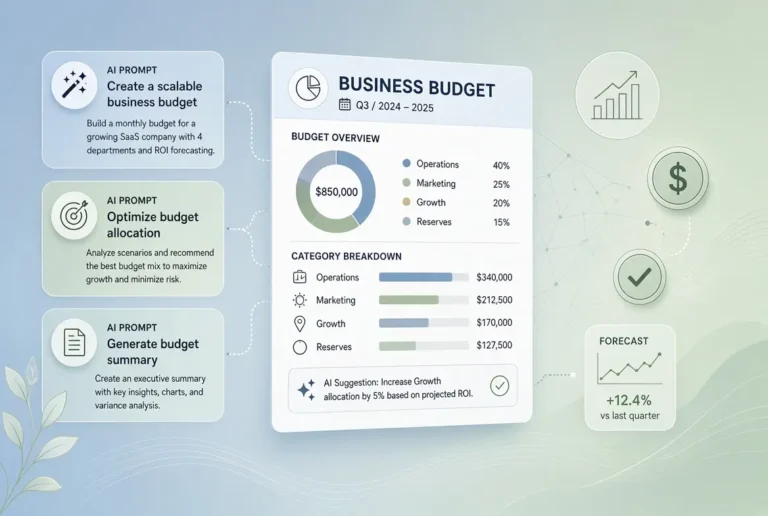
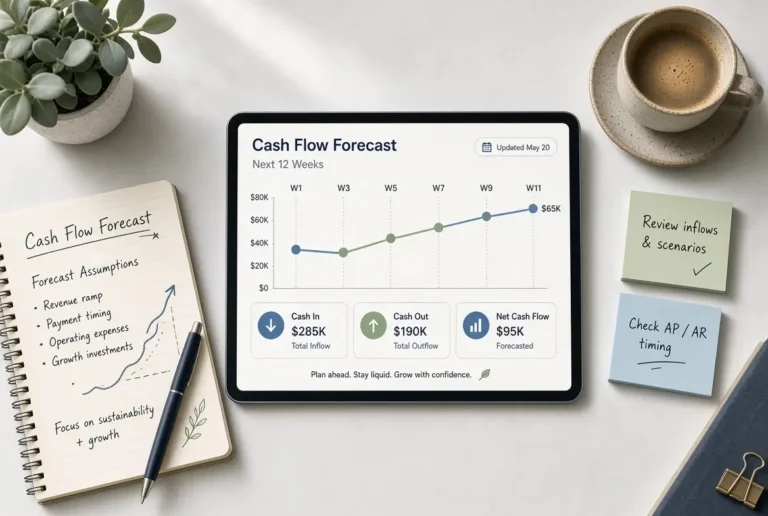
The same principles used in personal budgeting, such as clarity, regular updates, and scenario thinking, also apply directly to business budgeting and cash flow management. People who build the habit personally often find it easier to apply similar systems at work.
For the wider framework, see the main pillar guide:
AI for Budgets, Forecasts, and Cash Flows
Related articles:
- Simple AI Tools for Creating Business Budgets
- Simple AI Tools for Cash Flow Forecasts
- AI-Assisted Scenario Planning
Final Thoughts
Personal budgeting with AI works best when you treat it as a practical support system rather than a technical project. The goal is not a perfect spreadsheet. The goal is clearer visibility and better decisions with less friction.
Start small this week. Gather your income, fixed costs, and a rough picture of recent spending. Use one strong prompt to generate a simple budget, then adjust it so it feels realistic. Review it once a month. That single habit, supported by AI, is enough to create meaningful progress for most people.
Frequently Asked Questions
It can replace some of the planning and analysis functions, but many people still benefit from a simple spreadsheet or app for ongoing tracking.
Use caution. Avoid sensitive account details and full unredacted statements. Summarized or rounded data is usually sufficient for useful guidance.
Simple is better. Most people do well with a limited number of clear categories they can actually maintain.
Base your budget on a conservative average or your lowest typical month, and use AI to model different income scenarios.
Many people gain clarity within the first session. Habit and spending changes usually take a few weeks to show clear impact.