Project meetings are necessary, but the work that follows them often is not. Many non-technical project managers spend 20–40 minutes after every meeting rewriting notes, identifying action items, assigning owners, and sending follow-ups.
In 2026, AI can handle most of that work for you. You can generate clear meeting summaries and structured action item lists in just a few minutes. Without coding or complex setups.
This guide shows busy project managers exactly how to use AI for meeting summaries and action item tracking. You will get practical tools, ready-to-use prompts, a simple workflow, and tips that work even if you are new to AI.
Why AI Works So Well for Meeting Notes
AI is especially strong at:
- Turning messy conversation into clear summaries
- Extracting decisions and action items
- Organizing information into consistent formats
- Saving time on repetitive documentation
When used correctly, it reduces the administrative load after meetings so you can focus on follow-through and leadership instead of note-taking.
The Simple AI Workflow for Meeting Summaries
Here is a reliable process that most non-technical project managers can follow:
Step-by-step AI workflow for meeting summaries and action item tracking.
- Capture the meeting
Use a recording tool or take rough notes.
- Get a transcript or key points
Many tools provide this automatically.
- Run an AI prompt
Generate a clean summary and action list.
- Review and edit
Check accuracy and adjust tone (2–4 minutes).
- Distribute and track
Share the summary and move action items into your project tool.
Once you do this a few times, the entire process often takes under 10 minutes per meeting.
Best Tools for Non-Technical Project Managers
You do not need expensive software. These options work well:
- Free or low-cost AI note-takers: Fathom, Fireflies.ai, Otter.ai, or Microsoft Teams/Zoom built-in AI summaries
- General AI tools: ChatGPT, Claude, or Gemini (paste a transcript or your rough notes)
- Project tools with AI: ClickUp Brain, Notion AI, Asana Intelligence, or Monday.com AI
Start with whatever you already have access to. Many busy project managers begin with a free AI chatbot and a simple transcript.
Ready-to-Use Prompts
Copy and adapt these prompts.
Prompt 1: Clear Meeting Summary + Action Items
Act as an experienced project manager. Create a clear meeting summary from the following notes or transcript.

Include:
- Meeting purpose (1 sentence)
- Key discussion points (bullet points)
- Decisions made
- Action items with suggested owners and due dates (if mentioned)
- Open questions or parking lot items

Keep the language professional, concise, and easy to scan. Use bullet points.

Meeting content:
[Paste transcript or notes here]
Prompt 2: Short Executive Summary
Summarize this meeting for busy stakeholders in under 150 words.
Focus on: overall outcome, key decisions, critical action items, and any risks raised.
Use clear bullet points.

Meeting content:
[Paste content here]
Prompt 3: Action Item Tracker Format
Extract all action items from this meeting.
Format them as a clean list with:
- Action item description
- Suggested owner
- Due date or timeframe (if mentioned)
- Priority (High / Medium / Low) if it can be reasonably inferred

If owner or due date is missing, note that clearly.

Meeting content:
[Paste content here]
Prompt 4: Follow-Up Email Version
Turn this meeting summary into a professional follow-up email.
Include a brief recap, the list of action items, and a polite request for confirmation.
Keep the tone friendly and clear.

Meeting summary:
[Paste the AI-generated summary here]
Example: Before and After
Rough notes you might have:
- Talked about timeline risks
- Sarah will update the design by Friday
- Need legal review before launch
- Demo moved to next Tuesday
- Budget still okay
AI-generated summary (after light editing):
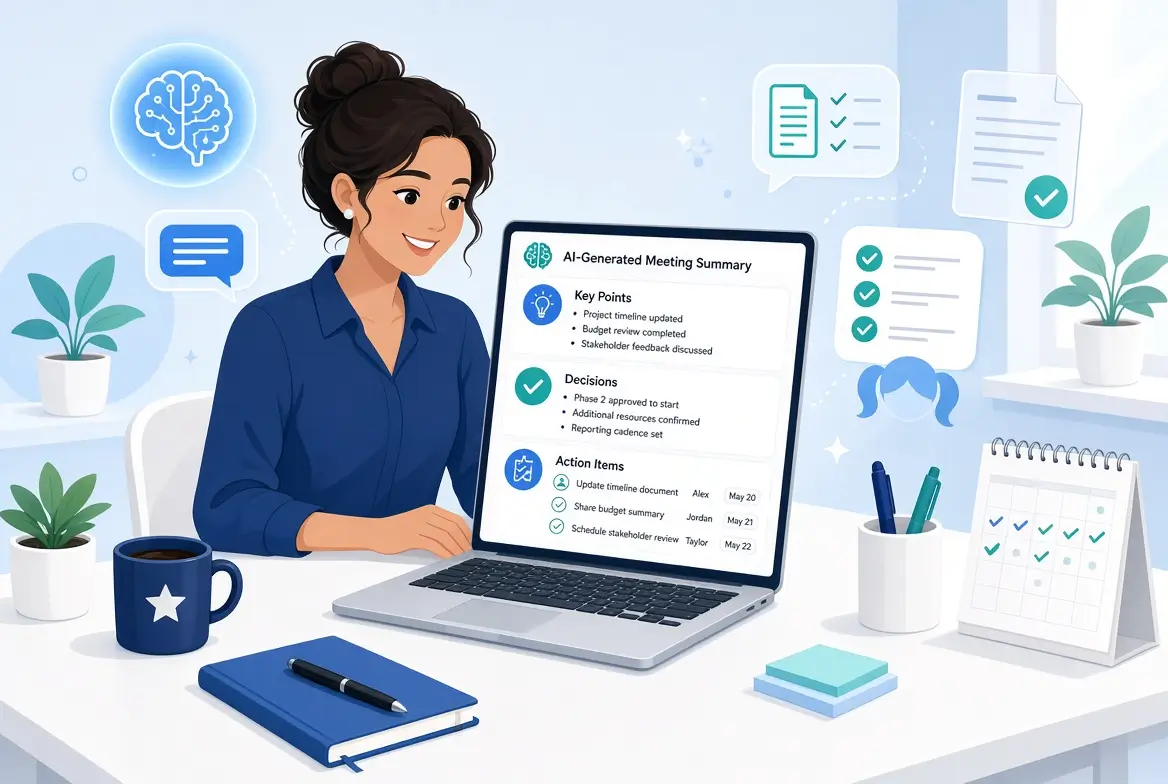
Meeting Summary – Project Timeline Review
Key Points
- Timeline risks were discussed due to design and legal dependencies
- Demo has been rescheduled to next Tuesday
Decisions
- Proceed with current scope while monitoring design delivery
Action Items
- Sarah: Update design and share by Friday
- Project Manager: Request legal review before launch
- Team: Prepare for demo next Tuesday
Open Items
- Confirm exact legal review timeline
This version is clear, professional, and ready to share.
Tips for Better Results
- Record meetings when possible (with permission) so you have an accurate transcript.
- Speak key decisions and action items clearly during the meeting — AI picks them up more easily.
- Always review the output. AI is very good but not perfect.
- Keep a consistent format so your team knows what to expect.
- Move action items into your project management tool right away so nothing gets lost.
- Save your best prompts for reuse.
Common Mistakes to Avoid
- Sending the AI summary without checking for accuracy
- Including sensitive information in public AI tools without following company policy
- Making the summary too long or detailed
- Forgetting to assign clear owners to action items
- Relying only on AI and skipping human verification of decisions
How This Fits Into Your Broader AI Toolkit
Meeting summaries and action item tracking pair extremely well with other high-impact uses of AI, such as writing status reports and creating project plans.
For the complete picture of how non-technical project managers can use AI, see the main guide:
Complete Guide to Using AI in Project Management for Non-Technical PMs (2026)
Related articles:
- Everyday Project Management Tasks You Can Automate with AI (No Coding)
- How to Write Better Project Status Reports with AI in 10 Minutes
- Simple AI Prompts for Creating Project Plans
Final Thoughts
If you’re a busy project manager, you do not need to spend significant time after every meeting rewriting notes. With a simple AI workflow, you can produce clear summaries and trackable action items in minutes.
Start with your next meeting. Capture the content, run one of the prompts above, review the result, and send it out. Most busy project managers notice the time savings immediately, and appreciate having cleaner, more consistent records.
Better meeting follow-through leads to fewer dropped actions, clearer accountability, and more progress between meetings.
Frequently Asked Questions
No. You can start with free tools or by pasting notes/transcripts into ChatGPT, Claude, or Gemini.
Always follow your company’s policy and get consent when required. Many organizations now support AI meeting tools with proper guidelines.
That is why the review step matters. A quick human check catches anything important the AI overlooked.
It can suggest owners when names are mentioned in the meeting. You should still confirm assignments.
They are generally very good at organizing information, but accuracy depends on the quality of the transcript or notes you provide. Always review before sharing.