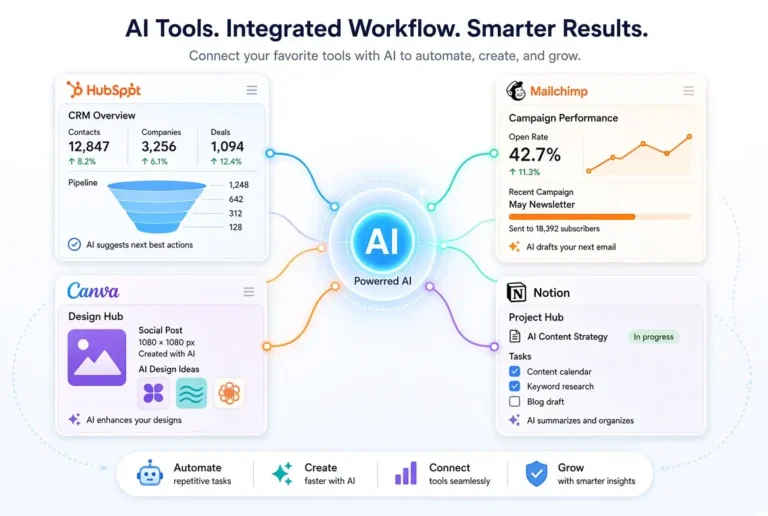
- AI tools are no longer optional for marketing teams. Teams using AI tools for marketing in 2026 consistently outpace competitors in content output, ad performance, and audience engagement.
- You don’t need a technical background to use the best AI marketing tools available in 2026. Most are built for marketers, not developers.
- Choosing the wrong tool for your team’s biggest bottleneck is the most common and costly mistake. This guide breaks down exactly which tool solves which problem.
- Free tiers exist across many top platforms, meaning small teams can start testing AI tools for small businesses without committing budget upfront.
- Some tools work better together. The right stack can replace hours of manual work per week, and we’ll show you which combinations make sense.
Marketing has a new speed limit, and AI is the only way to keep up with it.
If your team is still writing every blog post from scratch, manually scheduling social content, or guessing at the best time to send emails, you’re not just working harder than you need to. You’re falling behind teams half your size who’ve figured out how to use AI as a force multiplier.
This guide is built for marketing teams who want real results without needing a data scientist or developer on staff. Tools like those covered here are used and recommended by practitioners at LYFE Marketing, a team that works hands-on with growing brands to turn AI into measurable marketing outcomes.
Most Marketing Teams Are Losing Ground Without AI
The gap between AI-powered marketing teams and traditional ones is widening fast. It’s not just about speed. It’s about volume, personalization, and consistency at a scale that manual workflows simply can’t match. A single marketer using the right AI stack can now produce what used to require a team of five, and the output quality is competitive.
Non-technical teams often assume AI tools are out of reach for them. That assumption is outdated. The platforms covered in this guide were specifically designed with marketers in mind, not engineers. Drag-and-drop interfaces, plain-English prompts, and pre-built templates have made the barrier to entry almost nonexistent.
1. Jasper AI: Best for Long-Form Marketing Content
Jasper AI is purpose-built for marketing content, and that distinction matters. Unlike general-purpose AI tools, Jasper is trained on marketing-specific frameworks like AIDA, PAS, and product descriptions, which means outputs are ready for campaigns, not just conversation.
What Jasper Does That Generic AI Tools Don’t
Jasper includes a Brand Voice feature that learns your tone, terminology, and style guidelines. Once set up, every output, whether it’s a blog post, email sequence, or landing page, sounds like your brand wrote it. It also connects to Surfer SEO natively, meaning you can optimize content for search while writing it, without switching tabs or tools.
Best Use Cases for Marketing Teams
Jasper performs best when your team has a clear content calendar and needs to scale production quickly. The strongest use cases include:
- Long-form blog posts and pillar pages
- Email nurture sequences and newsletters
- Product descriptions at scale for e-commerce
- Landing page copy with conversion-focused frameworks built in
- Ad copy variations for A/B testing
Limitations to Know Before You Commit
Jasper is not the cheapest option on this list. Plans start at $39/month for individual users, and team plans scale up significantly. It also requires some upfront investment in setting up brand voice and tone documents to get consistent output. Without that setup, the content can feel generic. It’s a tool that rewards the teams who take time to configure it properly.
2. Canva AI: Best for Visual Content Creation
Canva was already the go-to design tool for non-designers. With the addition of Magic Studio, it became something much more powerful: a full AI-assisted creative suite that can replace a significant portion of what a junior designer spends their week doing.
What makes Canva AI particularly valuable for non-technical marketing teams is that the learning curve is almost flat. If you’ve used Canva before, the AI features layer on top of what you already know. If you haven’t, the interface is intuitive enough that most users are producing polished content within the first session.
Magic Studio Features That Replace a Designer
The Magic Studio bundles several AI tools into one workspace. Magic Write generates copy directly inside your design. Background Remover cleans up product photos instantly. Magic Resize reformats a single design for every platform automatically, from Instagram Stories to LinkedIn banners to email headers. Text to Image generates custom visuals from a plain-English prompt, eliminating the need for stock photo subscriptions for many use cases.
How Non-Technical Teams Use It Day to Day
A realistic weekly workflow might look like this: create one core campaign graphic, use Magic Resize to generate all platform variants, use Background Remover to prep product images, and use Magic Write to draft supporting captions. What used to take a designer a full day now takes a non-designer under two hours. For small teams running lean, that’s a meaningful shift in what’s possible.
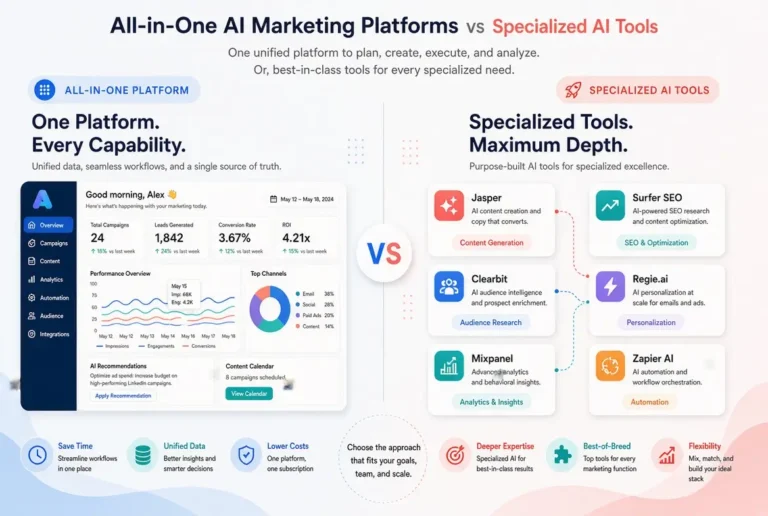
3. HubSpot AI: Best All-in-One Marketing Platform
HubSpot has been building out its AI layer aggressively, and in 2026 it’s one of the most complete marketing platforms available for teams who want everything in one place. CRM, email marketing, landing pages, social scheduling, and analytics are all connected, and AI now runs through all of it.
The biggest advantage here isn’t any single AI feature. It’s that the data from every channel feeds into one system, which means the AI has full context when making recommendations. Most standalone tools are working with partial information. HubSpot’s AI is working with everything.
AI Features Built Into HubSpot’s Marketing Hub
HubSpot’s AI features span the entire marketing workflow. The platform includes AI-generated email subject lines tested against historical open rate data, predictive lead scoring that surfaces the contacts most likely to convert, content assistant for drafting emails and landing pages, and ChatSpot, a conversational AI interface that lets you pull reports, create contacts, or launch campaigns using plain-English commands.
Why It Works for Teams Without a Data Analyst
HubSpot surfaces insights automatically. Instead of needing someone to build custom reports or interpret raw data, the platform flags trends, recommends actions, and explains performance in plain language. A marketing manager without any analytics background can log in and understand exactly what’s working and what needs attention, without writing a single formula.
The reporting dashboards are pre-built but fully customizable. For most non-technical teams, the default views cover everything they actually need to track on a weekly basis.
When HubSpot AI Is Overkill for Your Team
HubSpot’s pricing is tiered, and the AI features that matter most are locked behind the Professional and Enterprise plans, which start at $800/month and $3,600/month respectively. For a team with under 1,000 contacts and a simple email-plus-social workflow, the investment doesn’t make sense yet. Start with a simpler tool and graduate to HubSpot when your volume and complexity justify it.
4. Surfer SEO: Best for AI-Driven Content Optimization
Most content teams are writing in the dark. They pick a topic, write something thorough, publish it, and hope it ranks. Surfer SEO replaces that guesswork with a data-driven brief that tells you exactly what your content needs to compete for a specific keyword.
How Surfer Tells You Exactly What to Write
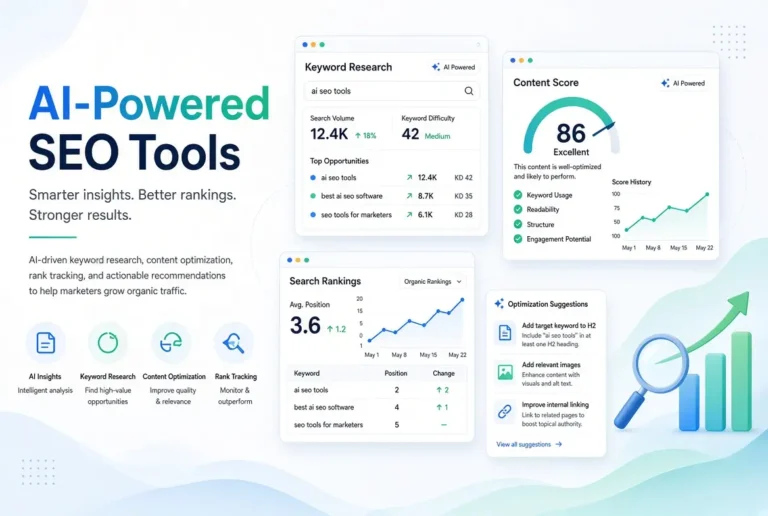
When you enter a target keyword into Surfer, it analyzes the top-ranking pages for that term and builds a content score based on word count, heading structure, semantic keyword usage, and NLP terms that Google’s algorithm associates with relevance on that topic. As you write inside Surfer’s editor, a live score updates in real time, showing you whether you’re hitting the benchmarks needed to rank competitively.
Surfer vs. Writing Without SEO Guidance
The difference in results is stark. Content written without SEO guidance might rank eventually, or it might sit on page four indefinitely with no clear reason why. Content written inside Surfer’s editor with a target score above 70 has a structured, data-backed shot at page one. For non-technical teams, it removes the need to understand SEO theory at a deep level. The tool tells you what to do, and you do it.
5. Predis.ai: Best for Social Media Content at Scale
Social media is one of the biggest time drains for small marketing teams. Writing captions, designing graphics, maintaining a posting schedule across four platforms, and staying on-brand while doing it at volume is a genuine operational challenge. Predis.ai was built specifically to solve that problem.
The platform will AI generate complete social media posts: caption, hashtags, and designed visual, from a single text prompt. You describe the product, campaign, or message, and Predis.ai produces ready-to-publish content formatted for each platform you select. For teams that have been manually creating every post from scratch, the time savings alone justify the tool.
Real-World Example: A small e-commerce brand selling skincare products uses Predis.ai to generate a full week of Instagram and Facebook content in under 30 minutes. They input their product names, key benefits, and brand tone into the brand kit, then generate seven days of posts in one session. Before Predis.ai, the same output took a part-time social media coordinator nearly four hours per week.
What separates Predis.ai from simply using a generic AI tool for captions is that it combines copy generation and visual creation in one step. The designs are platform-specific, meaning an Instagram post won’t look identical to a LinkedIn update. That level of automatic formatting matters when your team doesn’t have a designer checking every output.
Automating Social Posts Without Losing Brand Voice
Predis.ai includes a Brand Kit feature where you upload your logo, set your brand colors, choose your fonts, and define your tone of voice. Once configured, every generated post pulls from those settings automatically. The result is content that looks and sounds like your brand produced it manually, even when it was generated in seconds.
The tone settings are more granular than most competing tools. You can specify whether your brand voice is professional, playful, inspirational, or educational, and the captions adjust accordingly. For teams managing multiple clients or sub-brands, you can create separate brand kits and switch between them without reconfiguring anything.
Platforms Predis.ai Supports in 2026
Predis.ai has expanded its platform coverage significantly. The tool now generates and schedules content natively across the major social channels that marketing teams actually use daily.
- Instagram (Feed posts, Reels scripts, Stories)
- Facebook (Posts and ad creative)
- LinkedIn (Professional posts and carousel content)
- Twitter / X (Short-form posts with character count optimization)
- Pinterest (Pin descriptions and vertical image formatting)
- TikTok (Script generation and caption support)
- Google My Business (Update posts for local SEO)
6. ChatGPT: Best for Versatile Marketing Tasks
ChatGPT is the Swiss Army knife of AI marketing tools. It doesn’t specialize in one thing, which is both its greatest strength and its most significant limitation. Used correctly, it can compress hours of marketing work into minutes. Used without direction, it produces output that needs heavy editing before it’s usable.
The Marketing Tasks ChatGPT Handles Best
ChatGPT performs exceptionally well across a wide range of marketing tasks when given clear, specific prompts. It excels at drafting email subject line variations for A/B testing, repurposing long-form blog content into social captions, generating customer persona profiles from basic demographic inputs, brainstorming campaign angles and headline hooks, writing first drafts of ad copy, and summarizing competitor content for research purposes. The key is treating it as a skilled first-draft collaborator rather than a publishing-ready content machine.
Where ChatGPT Falls Short for Marketing Teams
ChatGPT doesn’t have access to your brand guidelines unless you provide them in the prompt every single time. Without that context, the output defaults to a generic, neutral tone that rarely sounds like an established brand. This friction adds up when your team is using it daily.
It also doesn’t have real-time internet access in its base version, meaning any research involving current trends, competitor pricing, or recent industry news requires a separate step. For teams using ChatGPT as their primary research tool, this is a real gap that often goes unnoticed until a piece of content contains outdated information.
The other limitation worth flagging is consistency. Because each conversation starts fresh without memory of previous sessions (unless you configure custom instructions or use the memory feature in ChatGPT Plus), maintaining a consistent brand voice across a content team using the same account requires deliberate systems, not just good intentions.
| Task | ChatGPT Performance | Better Alternative |
|---|---|---|
| Long-form blog writing | Good first draft, needs SEO layer | Jasper AI + Surfer SEO |
| Brand-consistent copy | Inconsistent without setup | Jasper AI with Brand Voice |
| Social media visuals | Text only, no design output | Canva AI or Predis.ai |
| Email send optimization | Not capable | Seventh Sense |
| Ad creative generation | Copy only, no visual | Adcreative.ai |
| Campaign brainstorming | Excellent | ChatGPT is the best option |
Used strategically, ChatGPT is a genuine productivity multiplier. The teams getting the most out of it have built prompt libraries; saved, tested prompts for recurring tasks, so they’re not reinventing the wheel every time they open a new conversation.
How to Prompt ChatGPT for Better Marketing Output
The single biggest upgrade you can make to your ChatGPT output quality costs nothing. Start every marketing prompt with three elements: the role you want it to play (“You are a direct-response copywriter”), the audience you’re writing for (“writing for busy e-commerce founders”), and the specific output format you need (“write five subject line variations under 50 characters each”). That structure alone will produce noticeably sharper, more usable results from the very first output.
7. Seventh Sense: Best for Email Send-Time Optimization
Most email platforms let you schedule sends. Seventh Sense makes those sends smarter by analyzing the behavior of every individual contact in your database and determining the exact time each person is most likely to open an email. It’s a narrow focus, but the impact on open rates is measurable and consistent.
Seventh Sense integrates directly with HubSpot and Marketo, which means it slots into existing workflows without requiring a platform migration or technical setup. For teams already on those platforms, adding Seventh Sense is genuinely plug-and-play. The AI runs in the background, and your campaigns go out at individually optimized times without any manual intervention after the initial configuration.
How Seventh Sense Improves Open Rates Automatically
The tool builds an engagement profile for every contact over time, learning when they open emails, which days they’re most active, and how their behavior shifts across seasons and campaigns. When you schedule a send, Seventh Sense staggers the delivery across a window you define. Sending each contact their email at their personal peak engagement time rather than blasting the entire list simultaneously.
For email-heavy marketing teams, this matters beyond just open rates. Better timing means better deliverability scores, more consistent engagement signals to inbox providers, and a lower likelihood of landing in the promotions tab or spam folder. It’s one of the few AI tools on this list where the result is almost entirely hands-off once it’s running.
8. Adcreative.ai: Best for Paid Ad Creative Generation
Running paid ads without strong creative is one of the fastest ways to burn through budget. Adcreative.ai addresses this by generating high-converting ad visuals and copy variations at scale, trained specifically on performance data from real ad campaigns rather than general design principles.
How It Generates High-Converting Ad Variations
Adcreative.ai connects to your brand kit, pulls in your product images or descriptions, and generates complete ad creatives, including the visual, headline, and primary text in batches. You can generate dozens of variations in a single session. Which is critical for running proper creative testing across paid channels. The platform also scores each creative with a predicted performance rating based on its training data, helping you prioritize which variations to test first.
The creative scoring feature is particularly useful for non-technical teams who don’t have a paid media specialist interpreting performance data. Instead of guessing which ad will perform best, you get a data-informed starting point before spending a single dollar in ad budget.
Which Ad Platforms It Integrates With
Adcreative.ai generates creative formatted for the major paid ad platforms, and it connects directly to ad accounts to simplify the publishing process. The supported integrations in 2026 include Facebook Ads, Instagram Ads, Google Display Network, LinkedIn Ads, Pinterest Ads, and Twitter/X Ads.
Each platform has distinct creative specifications such as aspect ratios, character limits, image safe zones, and Adcreative.ai applies those specs automatically during generation. A team running the same campaign across Facebook and LinkedIn doesn’t need to manually resize or reformat anything. The tool handles it during the generation step.
For teams running Google Performance Max campaigns specifically, Adcreative.ai’s ability to generate high volumes of asset variations quickly is a significant workflow improvement. Performance Max requires multiple headline, description, image, and video asset combinations to function at its best, and producing that volume manually is time-intensive without AI assistance.
| Ad Platform | Creative Formats Supported | Direct Integration |
|---|---|---|
| Facebook & Instagram | Single image, carousel, story | Yes |
| Google Display | Banner variations, responsive ads | Yes |
| Single image, text ads | Yes | |
| Standard pins, promoted pins | Yes | |
| Twitter / X | Promoted posts, image ads | Yes |
9. Brand24: Best for AI-Powered Social Listening
Most marketing teams only find out what people are saying about their brand when someone tags them directly. Brand24 changes that entirely. It monitors the web in real time for any mention of your brand, product, competitors, or industry keywords (tagged or untagged) and surfaces those conversations in a single dashboard.
What Brand24 Monitors Across the Web
Brand24 tracks mentions across social media platforms, news sites, blogs, forums, podcasts, newsletters, and review sites simultaneously. The AI layer goes beyond simple keyword matching. It performs sentiment analysis on every mention, classifying it as positive, negative, or neutral, and flags sudden spikes in mention volume that may signal a PR issue or a viral moment worth amplifying. For teams without a dedicated social listening analyst, this level of automated monitoring would be impossible to replicate manually.
Turning Mentions Into Marketing Opportunities
Brand24’s AI doesn’t just collect mentions. It helps you act on them. When sentiment spikes negatively, the platform sends an alert so your team can respond before a complaint goes viral. When a positive mention gains traction, you can jump into the conversation, share it, or use it as social proof in your next campaign. That kind of real-time responsiveness used to require a full-time community manager watching every channel. Now it’s automated.
The competitive intelligence angle is equally valuable. By monitoring your competitors’ brand mentions alongside your own, you can spot dissatisfied customers in real time, identify gaps in their offering that your product fills, and track how their campaigns land with shared audiences. For non-technical teams, Brand24 turns social listening from a theoretical best practice into something that actually gets done every week without adding headcount.
10. Notion AI: Best for Marketing Team Workflows
Notion AI sits inside a tool many marketing teams are already using, which makes adoption nearly frictionless. If your team runs its content calendar, campaign briefs, meeting notes, and project tracking inside Notion, the AI layer is already available and waiting. There’s no new platform to learn, no new login to manage.
The core value of Notion AI for marketing teams isn’t any single feature. It’s that it reduces the administrative friction that quietly kills creative momentum. Summarizing a lengthy strategy document, drafting a campaign brief from bullet points, or generating a first-pass content calendar from a simple input. These are tasks that eat time without producing anything visible. Notion AI handles them in seconds.
How Marketing Teams Use Notion AI to Stay Organized
The most practical use cases center on turning raw information into structured, usable documents. A marketing manager can paste in meeting notes from a strategy session and ask Notion AI to extract action items, assign owners, and format them into a project plan. A content strategist can input a list of target keywords and get a draft content calendar with topic suggestions mapped to each one. These outputs aren’t always perfect, but they’re solid starting points that cut the blank-page problem entirely.
Teams also use Notion AI to maintain consistency across documents. If your brand has a defined way of writing campaign briefs, you can build a template and let Notion AI populate it based on inputs from whoever is running the campaign. The result is a team that produces consistently structured work regardless of who is doing it, which matters significantly when you’re scaling or onboarding new people.
AI Features That Replace Manual Admin Work
Notion AI’s most time-saving features for marketing teams include one-click summarization of long documents, automatic action item extraction from meeting notes, AI-powered search across your entire Notion workspace, draft generation from brief prompts inside any page, and translation support for teams working across multiple markets. None of these require any setup beyond having a Notion account with AI enabled.
How to Pick the Right AI Tool for Your Marketing Team
The biggest mistake teams make when evaluating AI tools is starting with the tools instead of starting with their problems. Every platform on this list solves something specific. Buying a tool because it’s popular, then trying to find a use for it, is how AI budgets get wasted. The better approach is to start with a single, specific bottleneck and find the tool that eliminates it.
Once that first tool is embedded in your workflow and delivering results, add the next one. Teams that try to implement five new AI platforms simultaneously almost always underuse all of them. Sequential adoption beats simultaneous adoption every time.
Start With Your Biggest Time Drain
Ask your team where time disappears most consistently each week.
- If the answer is content creation, start with Jasper AI or ChatGPT with a solid prompt library.
- If it’s social media, start with Predis.ai.
- If it’s ad creative, start with Adcreative.ai.
- If it’s SEO, start with Surfer SEO.
Match the tool to the drain, and you’ll see ROI quickly enough to justify expanding your stack.
Budget Tiers: Free vs. Paid AI Tools Worth It in 2026
Several tools on this list offer free tiers that are genuinely useful, not just stripped-down trials. Canva AI’s free plan includes core Magic Studio features. ChatGPT’s free version handles most general marketing tasks. Notion AI is available at a low per-seat add-on cost for existing Notion users. The paid tools that are most worth the investment for growing teams are Jasper AI for content volume, Surfer SEO for search visibility, and Adcreative.ai for paid ad efficiency. These three have the clearest, most measurable return on their marketing tools monthly cost.
Signs a Tool Is Too Complex for a Non-Technical Team
If a tool requires API configuration before it does anything useful, it belongs in an engineering team’s stack, not a marketing team’s. Other red flags include onboarding that takes more than a week, dashboards that require data training to interpret, and pricing models that charge based on usage metrics your team can’t easily track. The best AI tools for non-technical marketers show value within the first session. If yours doesn’t, that’s the tool’s failure, not your team’s.
The Teams Who Adopt AI Now Will Be Untouchable by 2027
The marketing teams building AI into their daily workflows right now aren’t just saving time. They’re accumulating a compounding advantage. Every week they use these tools, they generate more data, more content, more campaign learnings, and more refined prompts. That institutional knowledge becomes a moat that’s increasingly difficult for slower-moving competitors to cross.
This isn’t about replacing marketers. The teams winning with AI still have skilled humans making strategic decisions, building relationships, and applying creative judgment. What AI removes is the grunt work that used to crowd out those higher-value activities. When your team isn’t spending Tuesday morning writing social captions manually, they can spend it thinking about the campaign strategy that actually moves the needle.
The window to build this advantage is still open, but it won’t stay open indefinitely. As AI tools become more accessible and more widely adopted, early movers lock in process advantages, audience relationships, and content libraries that late adopters have to spend years catching up to. The time to start is not when you feel fully ready. It’s now, with one tool, solving one problem.
- Start with one tool that solves your team’s biggest current bottleneck, not the most impressive-sounding platform.
- Build prompt libraries for recurring tasks so your team isn’t starting from scratch every session.
- Configure brand kits and tone settings in every tool that offers them. Consistency is what separates AI-assisted content from AI-generated noise.
- Track time saved per week as your primary early metric. ROI becomes obvious when the hours are visible.
- Expand your stack sequentially, not simultaneously. One tool embedded well beats five tools used poorly every time.
Frequently Asked Questions
These are the questions non-technical marketing teams ask most often when evaluating AI tools for the first time.
What is the best AI tool for marketing beginners?
Canva AI is the best starting point for most beginners. The interface is visual and intuitive, the AI features layer onto familiar design workflows, and the free plan includes enough functionality to produce real results without any financial commitment. ChatGPT is a close second for teams whose biggest need is writing assistance rather than visual content.
Can small marketing teams afford AI tools in 2026?
Yes. Many of the most effective tools on this list are free or low-cost at entry level. Canva AI, ChatGPT, and Notion AI all have usable free tiers. Even the paid tools like Surfer SEO and Predis.ai have entry-level plans under $50/month, which is well within reach for most small teams when measured against the hours they save. The cost of not using AI tools is typically far higher than the subscription fees.
Do AI marketing tools replace human marketers?
AI marketing tools do not replace human marketers. They replace specific, repetitive tasks that used to consume significant portions of a marketer’s week. Strategy, relationship building, creative direction, and audience insight still require human judgment. What AI changes is the ratio of time spent on execution versus thinking. Teams using AI well spend more time on the work that actually requires them, not less.
How long does it take to see results from AI marketing tools?
Most teams see time-saving results within the first week of using a well-matched tool. Output quality improvements, such as higher email open rates from Seventh Sense or better content rankings from Surfer SEO, typically show measurable results within 30 to 90 days depending on the channel. Paid ad tools like Adcreative.ai can show performance differences within the first two weeks of creative testing if you’re running active campaigns with sufficient budget.
Are AI-generated marketing materials detectable by audiences?
In most cases, no. Well-prompted AI content that has been reviewed and edited by a human is indistinguishable from fully human-written content in reader experience. The issue isn’t detection by audiences. It’s quality control by your team. AI outputs that are published without review often contain generic phrasing, factual errors, or tone inconsistencies that readers notice even if they don’t consciously identify the cause.
The practical answer is to treat every AI output as a strong first draft, not a finished product. Review it, adjust it to fit your specific context, and add any brand-specific detail or current information the AI couldn’t access. That step takes far less time than writing from scratch, which is the entire point.
You can review more at The Non-Tech AI for step-by-step guides for non-technical professionals looking to simplify their workflow.