How to Use AI for Candidate Outreach (Practical Guide 2026)
Candidate outreach is one of the highest-leverage activities in recruiting, and one of the easiest places to waste time. Generic templates get ignored. Fully manual personalization does not scale.
The practical middle ground I would recommend is using AI to draft faster while keeping human judgment on what makes a message feel relevant.
This guide shows non-technical HR professionals how to use AI for candidate outreach effectively: better first messages, smarter follow-ups, and higher reply potential without sounding robotic.
Why Most Candidate Outreach Fails
Common problems I’ve seen include:
- Generic openers (“I came across your profile”)
- Vague flattery with no specific evidence
- Messages that are too long
- No clear next step
- Follow-ups that only say “just checking in”
The numbers from our internal studies, confirmed by external research and practitioner data consistently show that personalized outreach outperforms templates. Specific, verifiable details about a candidate’s work tend to drive higher reply rates than merge-field personalization or generic praise. AI can help with structure and speed, but only when it is given real context.
What AI Should (and Should Not) Do in Outreach
AI is useful for:
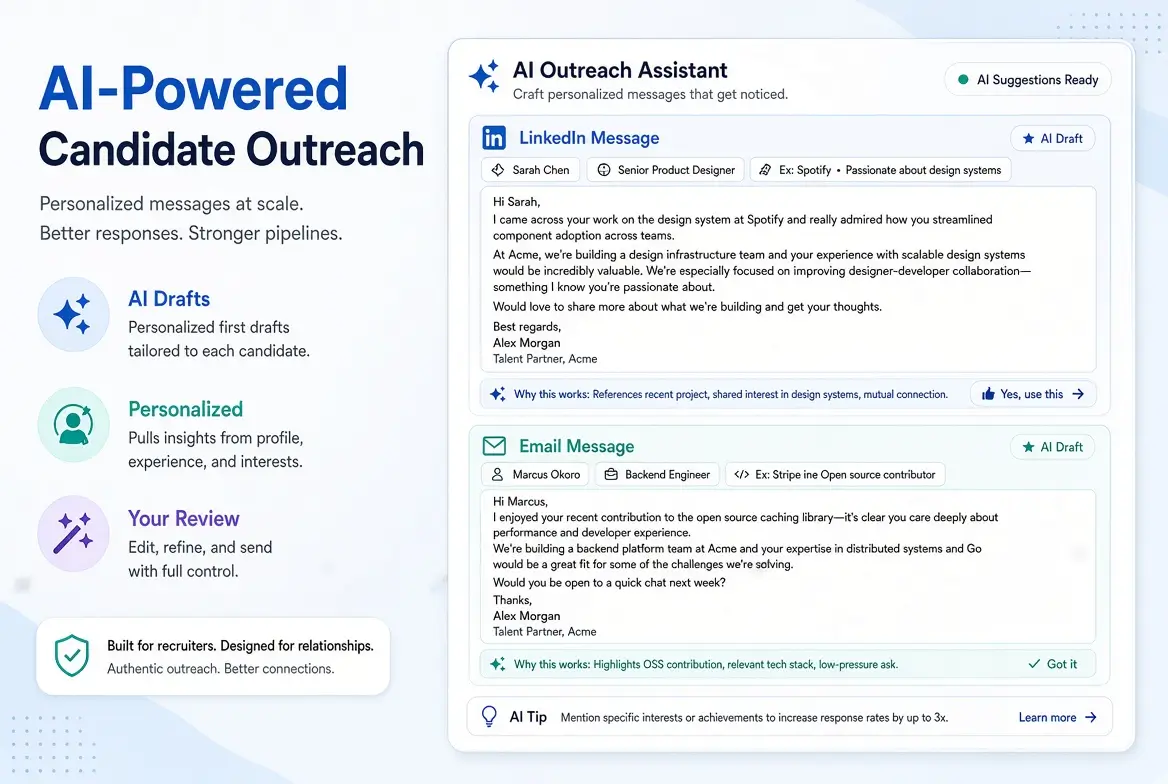
- Drafting first-touch messages
- Creating follow-up sequences
- Shortening and clarifying copy
- Generating subject lines
- Adapting tone for LinkedIn vs email
- Producing variations quickly
AI should not:
- Invent details about a candidate
- Send messages without human review
- Replace genuine relevance with generic compliments
- Be used to blast high volumes of low-quality messages
In my experience, the best results come from a simple rule: AI drafts, humans personalize and approve.
A Practical AI Outreach Process
Step 1: Gather the Right Inputs
Before prompting, collect:
- Role title and one-sentence value of the opportunity
- Must-have skills or outcomes
- Location / remote details (and compensation range if you can share it)
- One specific, verifiable detail from the candidate’s profile
That single specific detail is often the difference between a ignored message and a reply.
Step 2: Draft with a Strong Prompt
Use AI to create a short, relevant first message.
Step 3: Human Edit
Add or confirm the specific hook. Remove anything that sounds generic or exaggerated.
Step 4: Follow Up with Value
If there is no reply, send follow-ups that add new information rather than repeating the same ask.
Ready-to-Use AI Prompts for Candidate Outreach
1. First-Touch Outreach Message
Act as an experienced recruiter. Write a short candidate outreach message.

Candidate context:
[Paste relevant profile details or one specific project/achievement]

Role:
[Job title] at [Company type]
Key reason this role may be relevant: [1–2 sentences]
Location / work arrangement: [Details]
Compensation range if shareable: [Optional]

Requirements:
- Open with one specific, verifiable detail from the candidate’s background
- Connect that detail to the role
- Keep under 90 words
- No flattery, no “I came across your profile”
- End with one low-friction question
- Tone: professional, direct, human

Provide one LinkedIn version and one email version with a subject line.
2. One-Variable Personalization Prompt
Write a first outreach message using only this candidate-specific detail:

Specific detail: [e.g., “led migration from Salesforce CPQ to a custom quoting tool”]

Role summary: [Short role description]
Company: [Company]
Ask: [e.g., 15-minute conversation]

Keep under 90 words. Do not invent additional candidate details. If the detail does not connect clearly to the role, say so instead of forcing a message.
3. Follow-Up Sequence (No Reply)
Here is my first outreach message:
[Paste]

Write two follow-up messages:
1. Send after 4–5 days
2. Send after another 7–10 days

Each follow-up must add something new (team detail, problem to solve, flexibility, impact, or process clarity).
Do not use “just bumping this” language.
Keep each under 70 words.
Tone: respectful and low-pressure.
4. LinkedIn InMail / Connection Note
Write a LinkedIn outreach message for a passive candidate.

Candidate detail to reference: [Specific detail]
Role: [Job title]
Why it may interest them: [1 sentence]
Length: under 300 characters if connection note, or under 90 words if InMail
End with a simple question.
Avoid buzzwords and hype.
5. Reply to a Soft No / Not Right Now
The candidate replied:
[Paste reply]

Draft a short, professional response that:
- Acknowledges their position
- Leaves the door open
- Optionally asks if they can recommend someone
Keep it under 60 words.
6. Subject Line Generator
Generate 8 subject lines for this recruiting outreach email.

Role: [Job title]
Candidate hook: [Specific detail or theme]

Make half plain and direct, half more specific.
No clickbait, no emojis, no spammy phrasing.
Best Practices for Higher-Quality AI Outreach
- Lead with evidence, not praise. Reference real work, projects, or career moves.
- Keep it short. Candidates skim on phones.
- Make the ask easy. A 15-minute conversation is clearer than “let me know if you’re open.”
- Share useful details. Role scope, team, location, and compensation (when possible) build trust.
- Use multi-touch thoughtfully. A short sequence outperforms a single message, but every touch should add value.
- Review before sending. Especially for senior or sensitive roles.
- Respect opt-outs immediately.
Common Mistakes to Avoid
- Letting AI invent candidate achievements
- Sending the same message to dozens of people with only the name changed
- Writing long, sales-heavy pitches
- Following up only with “just checking in”
- Ignoring channel differences (LinkedIn vs email)
- Scaling volume before improving message quality
How This Fits Into a Stronger Recruiting System
Better outreach works best when connected to:
- Clear job descriptions
- Structured screening
- Consistent interview processes
- Respectful candidate communication
Related guides:
- How to Write Job Descriptions with AI
- AI Tools for Resume Screening
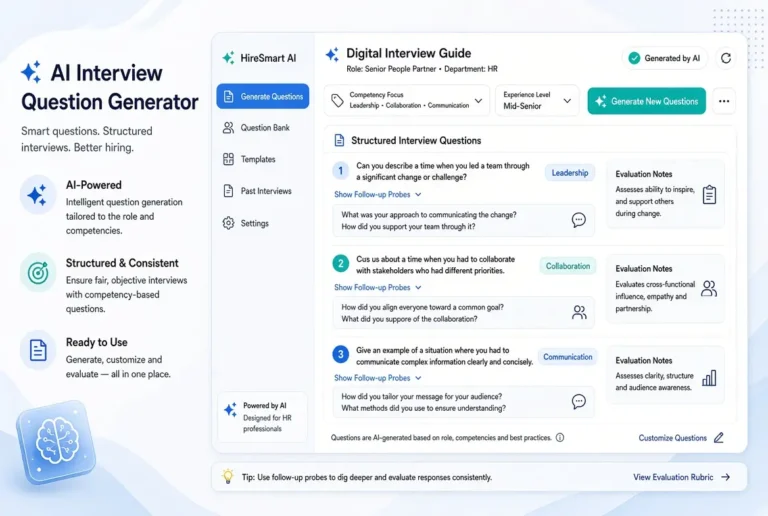
- Interview Question Generator for HR
- Ethics of AI in Recruiting
Main pillar:
AI Tools for Talent Acquisition
Final Thoughts
How to use AI for candidate outreach successfully is less about automation volume and more about relevance at speed.
Use AI to draft structure and variations. Provide one real, specific detail from the candidate’s background. Keep messages short. Follow up with new value. Review before you send.
Start with five high-priority candidates this week. Write better first messages, track replies, and refine your prompts. Small improvements in outreach quality often compound faster than adding another tool.
Frequently Asked Questions
Yes, when given specific candidate context and clear constraints. Generic prompts produce generic messages.
Specificity. One verifiable detail about the candidate’s work usually outperforms polished but generic copy.
Drafting with AI is low risk. Fully automated sending at high volume increases spam and brand risk if quality controls are weak.
Short. Many effective messages stay under 90 words.
Both can work. LinkedIn often performs well for professional outreach; email can scale further when personalization and deliverability are handled carefully.