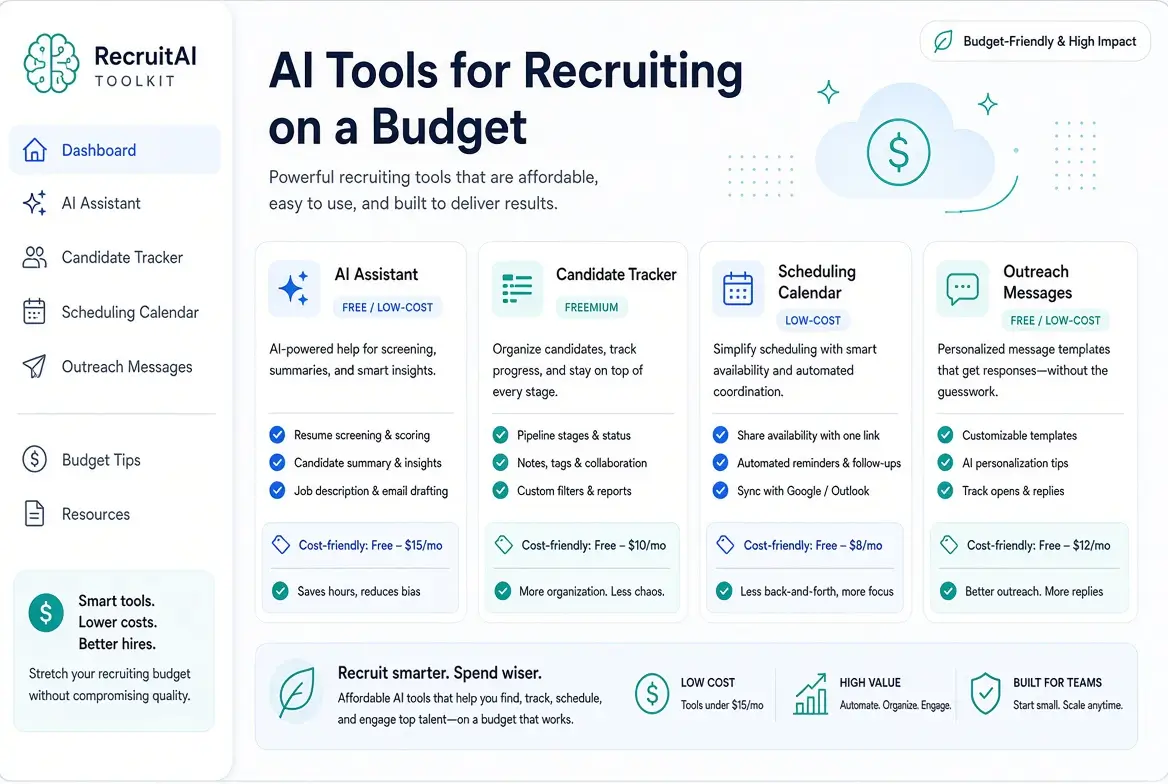
AI Tools for Recruiting on a Budget (Free & Low-Cost Guide 2026)
You do not need an enterprise recruiting suite to use AI in hiring. Many non-technical HR teams and small talent functions get strong results with a lean stack: general AI assistants, free or low-cost tracking tools, and simple process discipline.
This guide covers practical AI tools for recruiting on a budget, including free options, low-cost upgrades, and a realistic way to build a working system without overspending.
What “Recruiting on a Budget” Really Means
Budget-friendly recruiting AI is less about finding one magic platform and more about covering the core workflow:
- Writing job descriptions and outreach
- Organizing candidates
- Screening and summarizing applications
- Preparing interviews
- Scheduling and follow-up
A solo recruiter can often start near $0–$20/month. A small team can stay well under a few hundred dollars by choosing tools carefully and upgrading only where volume justifies it.
The Best Free and Low-Cost AI Building Blocks
1. General AI Assistants (Highest ROI Starting Point)
Best for: Job descriptions, outreach drafts, resume summaries, interview questions, scorecards
Options:
- ChatGPT (free tier + paid plans)
- Claude (free tier + Pro)
- Gemini (free tier / Workspace-included options)
These tools are the foundation of most budget AI recruiting stacks. With strong prompts, they handle a large share of writing and analysis work.
Related guides:
- AI for Writing Job Descriptions
- AI Prompts for Job Descriptions
- AI for Resume Screening Without Bias
- Free AI Interview Question Generator for HR
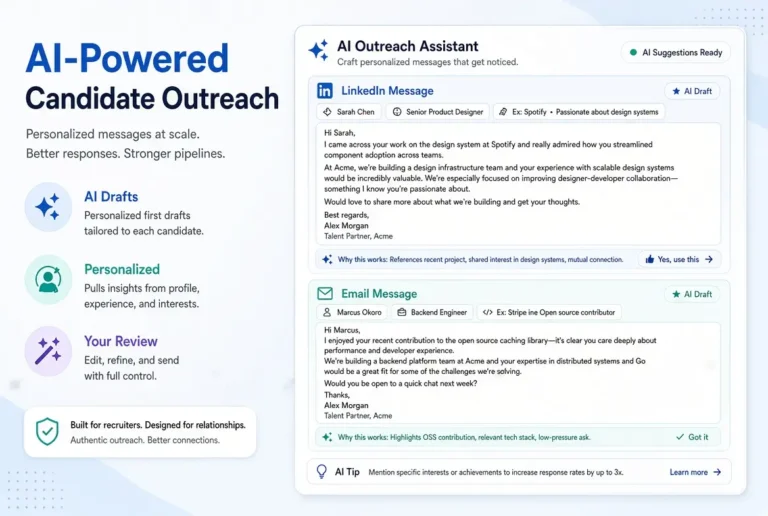
- How to Use AI for Candidate Outreach
2. Free or Low-Cost Applicant Tracking
Best for: Keeping candidates, notes, and stages organized
Common budget-friendly options that I would recommend include:
- Zoho Recruit (free plan with limits)
- Breezy HR (free plan options)
- Manatal (low per-user pricing on paid plans)
Even a simple tracker prevents the biggest budget killer: lost candidates and repeated work.
3. Scheduling Tools
Best for: Reducing back-and-forth emails
- Calendly free plan for basic scheduling
- Built-in calendar booking links (Google / Microsoft)
According to our internal workflow tests, interview coordination is one of the easiest places to save time without expensive software.
4. Lightweight Sourcing Support
Best for: Finding candidates when inbound volume is low
Budget approaches include:
- LinkedIn search + AI-assisted Boolean/string drafting
- Free tiers of AI people-search tools (where available, with tight limits)
- Public professional profiles and niche communities
Paid AI sourcing platforms can help at higher volume, but many small teams should prove process quality before adding recurring sourcing spend.
5. Automation Connectors (Optional)
Best for: Simple handoffs between tools
- Zapier free tier for light automation
- Native integrations inside your ATS or workspace tools
Automate only repetitive steps that already work manually.
A Practical Budget Stack by Stage
| Recruiting Stage | Budget-Friendly Approach | Example Tools |
|---|---|---|
| Job description | AI draft + human edit | ChatGPT, Claude, Gemini |
| Outreach | AI draft + one real personalization detail | ChatGPT / Claude + LinkedIn/email |
| Tracking | Simple ATS or structured spreadsheet | Zoho Recruit, Breezy, Manatal |
| Screening | Criteria-based AI summaries + human review | Claude / ChatGPT |
| Interview prep | AI question sets + scorecards | ChatGPT / Claude |
| Scheduling | Self-serve booking links | Calendly, Google/Microsoft booking |
Sample Monthly Budgets
Solo / very lean setup (approx. $0–$20)
- Free AI assistant tier or one paid assistant
- Free ATS plan
- Free scheduler
- Manual outreach and screening support from AI prompts
Small team starter setup (often under ~$200 depending on seats)
- Paid AI assistant seats as needed
- Low-cost ATS
- Scheduler upgrade if required
- Limited contact-data or sourcing credits only if outbound volume demands it
Exact prices change, so always verify current plan limits before buying.
How to Choose Tools Without Wasting Money
Use this decision order:
Step-by-step guide on how to choose AI tools for recruiting on a budget.
- Fix the process first
Clear criteria, structured interviews, and consistent outreach matter more than software.
- Buy for your bottleneck
If screening is slow, improve screening. If sourcing is empty, improve sourcing. Avoid all-in-one platforms until you know the constraint.
- Prefer transparent pricing
Per-seat, per-job, and credit-based models can look cheap until volume rises.
- Keep humans in decision seats
AI should draft, summarize, and organize. Hiring decisions should remain human.
- Review data handling
Avoid pasting sensitive candidate data into tools that do not meet your privacy standards.
Common Budget Mistakes
- Buying a full AI recruiting suite before process quality is stable
- Paying for sourcing tools while inbound volume is already high
- Using AI to send generic outreach at scale
- Skipping a simple tracking system
- Assuming free tiers will cover unlimited volume forever
Recommended Starting Plan for Non-Technical HR Teams
Week 1
- Choose one AI assistant
- Standardize prompts for job descriptions, screening, outreach, and interview questions
- Set up a basic candidate tracker
Week 2
- Apply AI-assisted screening with human review
- Improve outreach personalization quality
- Add self-serve scheduling
Week 3+
- Measure time saved and reply/interview rates
- Upgrade only the tool that removes the biggest remaining bottleneck
How This Fits the Broader Recruiting System
Budget tools work best inside a clear system:
- Better job descriptions
- Bias-aware screening
- Structured interviews
- Thoughtful outreach
- Human accountability
For the full framework, see:
Complete Guide on AI for Recruiting and Talent Acquisition
Related cluster guides:
- Practical Guidelines on Ethical AI Recruiting
- AI for Reducing Time-to-Hire
- AI Recruiting Workflow for Small Teams
Final Thoughts
The best AI tools for recruiting on a budget are the ones that help you run a cleaner process, not the ones with the longest feature list.
Pro Tip: Start with a strong AI assistant, a simple tracker, and clear workflows. Use AI to draft and summarize. Keep humans responsible for decisions. Upgrade only when a specific bottleneck is costing more than the tool.
That approach lets small HR teams adopt AI quickly, stay cost-conscious, and still improve speed and consistency.
Frequently Asked Questions
General assistants like ChatGPT, Claude, and Gemini are the highest-ROI free starting point. Pair them with a free ATS plan and free scheduling tools.
Yes. Many teams hire successfully with AI-assisted writing/screening plus lightweight tracking and strong process discipline.
Only if candidate supply is your main bottleneck. If you already receive applications, improve screening, outreach quality, and interview structure first.
Often yes, if you use it daily for job descriptions, outreach, screening summaries, and interview kits. The time savings usually outweigh a low monthly seat cost.
Treating AI output as final decisions, especially in screening or outreach, without human review and clear job-related criteria.